Announcements - Article
Ad-hoc notifications to registered users with relevant training updates and product news
This is a very common way to communicate to a group of participants about an ongoing activity. Can be on-screen and/or sent as emails to specific audiences.
- Provide ad-hoc notifications as an ongoing facilitation element.
- Update on changes to trainings people already completed.
- Facilitation an communication by an instructor during an ongoing training.
- Update relevant audiences on new opportunities, trainings and offerings.
Announcements can contain multimedia attachments such as videos, interactive learning objects and attachments, including PDF files and more.
Create an announcement
Creating an announcement is an option for Instructors and any type of Administrator role from the appropriate menu item.
You will be offered to choose a specific Audience - the cohort of people who will receive the created announcement. Choices include:
- Everyone on the platform. Only available for platform administrators.
- Administrators. Other platform administrators.
- Activity participants. Target everyone who are in one or more specific training activities. Ongoing or completed.
- Community members. When the audience is for everyone in a Community.
- Users by country. Target everyone from specific countries - e.g., legislative updates.
- Users by role. Any system role.
- Users by interests. Interests are populated by the category tag, based on which training activities the users have previously enrolled.
- Organization members. For every individual registered as being a member of the organizations and sub-organizations you have created.
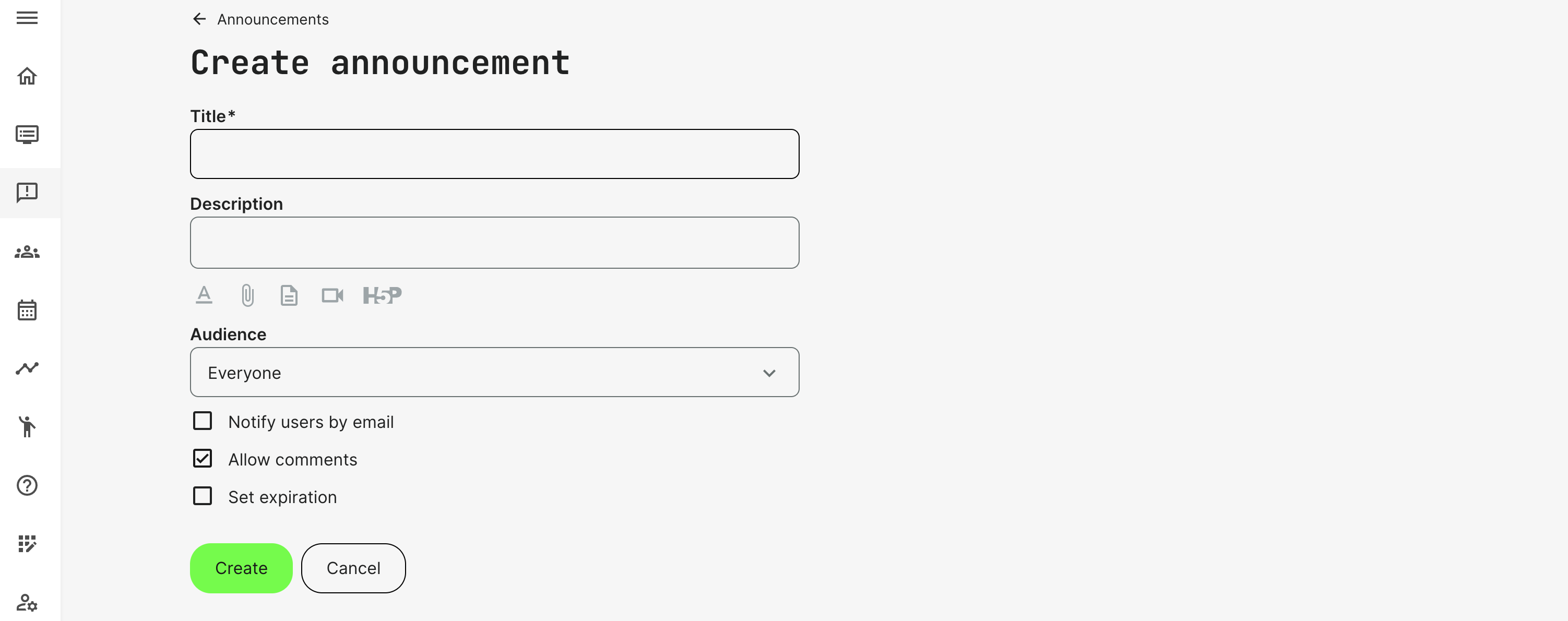
All of those can be edited later by going to Edit announcement mode on the three-dot menu:
- Title will be shown on the announcement and in the email.
- Description which can contain rich text formatting, videos. documents and even interactive content elements you have created.
- Notify by email will also be sent. The home screen (My overview) will still show the annoncement.
- Allow comments if you want options to comment on the announcements. People can @usermention to notify individuals on their comments.
- Set expiration: is a very convenient way to keep a tidy home screen and clean up outdated and irrelevant announcements automatically.
Announcements for Participants
Announcements are presented at the top of the screen when a participant logs in. They are shown alongside any calendar events and potential reminders.
Announcements can be be closed and previous announcements can always be revisited through announcements menu item. Announcements exist until expiration or are removed by the author.