User Experience of Incentives - Article
Summary
Incentives are integrated into the learner experience through visible points, badges, rewards, and notifications. Clear feedback and communication help learners understand progress, build trust in the system, and sustain motivation throughout their learning journey.
In this article you will learn:
- How learners discover and track incentives across the platform
- How points, badges, and rewards appear in the user interface
- How notifications and feedback reinforce motivation
- How visibility and communication strengthen engagement
How Learners Discover Incentives
An incentives program only works when learners understand it, trust it, and feel motivated by it.
Incentives are not presented as a separate system. Instead, learners encounter them naturally as part of the platform experience, embedded in moments where effort and progress already matter.
Key entry points include:
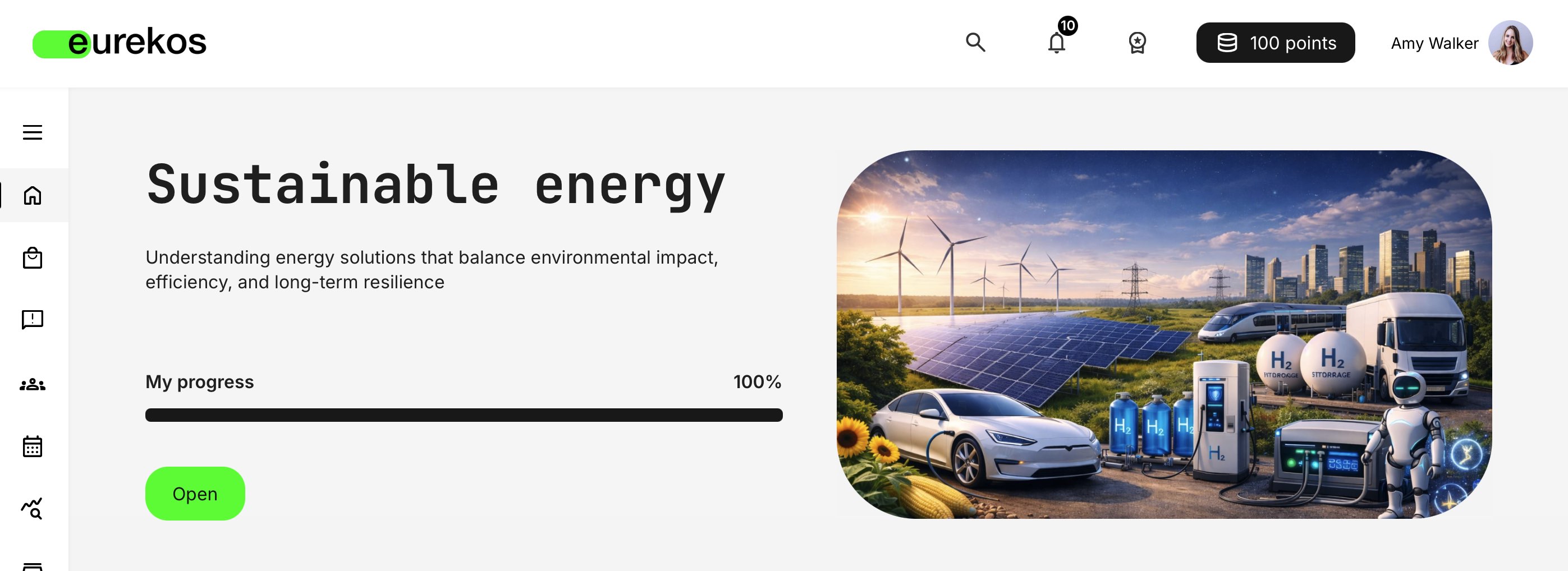
- Platform header — The current point balance is always visible, reinforcing awareness and a sense of progress
- Profile page — Learners can view their point balance, earned badges, and redeemed rewards in one consolidated place
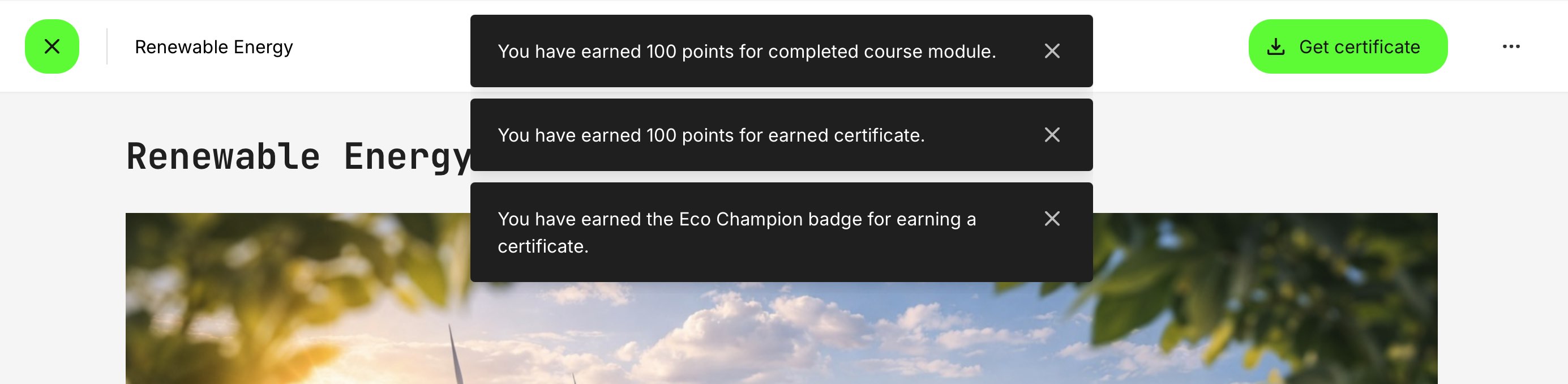
- Onscreen notifications — Points earned and badges achieved are surfaced immediately when actions are completed
- The Shop — the central hub where learners can browse all available rewards and redeem their points for products they’ve earned.
This design ensures learners don’t have to go looking for incentives—they experience them as immediate feedback to their actions.
However, visibility alone is not enough. Incentives exist to amplify a desired outcome—whether that is product adoption, brand loyalty, enablement, or behavioral change. Learners must understand why the program exists and how it benefits them for motivation to take hold.
In practice, effective incentive programs combine passive visibility with deliberate communication. Messaging typically spans multiple channels, but the platform itself offers several built-in ways to support this:
- Onboarding rules can present short explainer videos or messages at login, targeted to specific audiences and aligned with the incentive program
- Announcements can be targeted and reused to promote campaigns, updates, or time-bound incentives
- Courses and course description pages can highlight how learning activities contribute to points, badges, or rewards
- The Storefront—especially for self-enrolled learners—can act as a promotional surface, reinforcing the value of participating in the program
The goal is not to explain every rule in great detail, but to help learners quickly understand "What can I earn?", “How do I earn it?” and “Where can I see my progress?”—without overwhelming them with rules or mechanics. Use clear, simple language and avoid overengineering explanations.
Earning Points: Immediate and Understandable Feedback
Points are awarded when learners complete actions defined by administrators—such as completing training, earning certificates, attending events, or submitting questionnaires.
From the learner’s perspective:
- Point awards are clearly attributed to an action
- Notifications explain what was earned and why
- Feedback is delivered asynchronously, so it remains visible even if the session ends quickly
This instant gratification loop is critical. It reinforces cause and effect: “I did something → I earned something.”
Learners can always verify their balance in the header and profile, ensuring transparency.
Badges equals Milestones
While points answer “how much”, badges answer “how far.”
Badges appear:
- On the learner’s profile
- In badge listings or achievement areas
- As part of leaderboards (where enabled)
From a learner’s perspective, badges:
- Represent milestones or achievements
- Signal progress in a journey, not just accumulation
- Provide recognition even when rewards are unavailable or limited
When badges can be earned multiple times, learners see continued progression rather than a one-time achievement—especially important in long-running or recurring programs.
Leaderboards: Optional, Visible, and Contextual
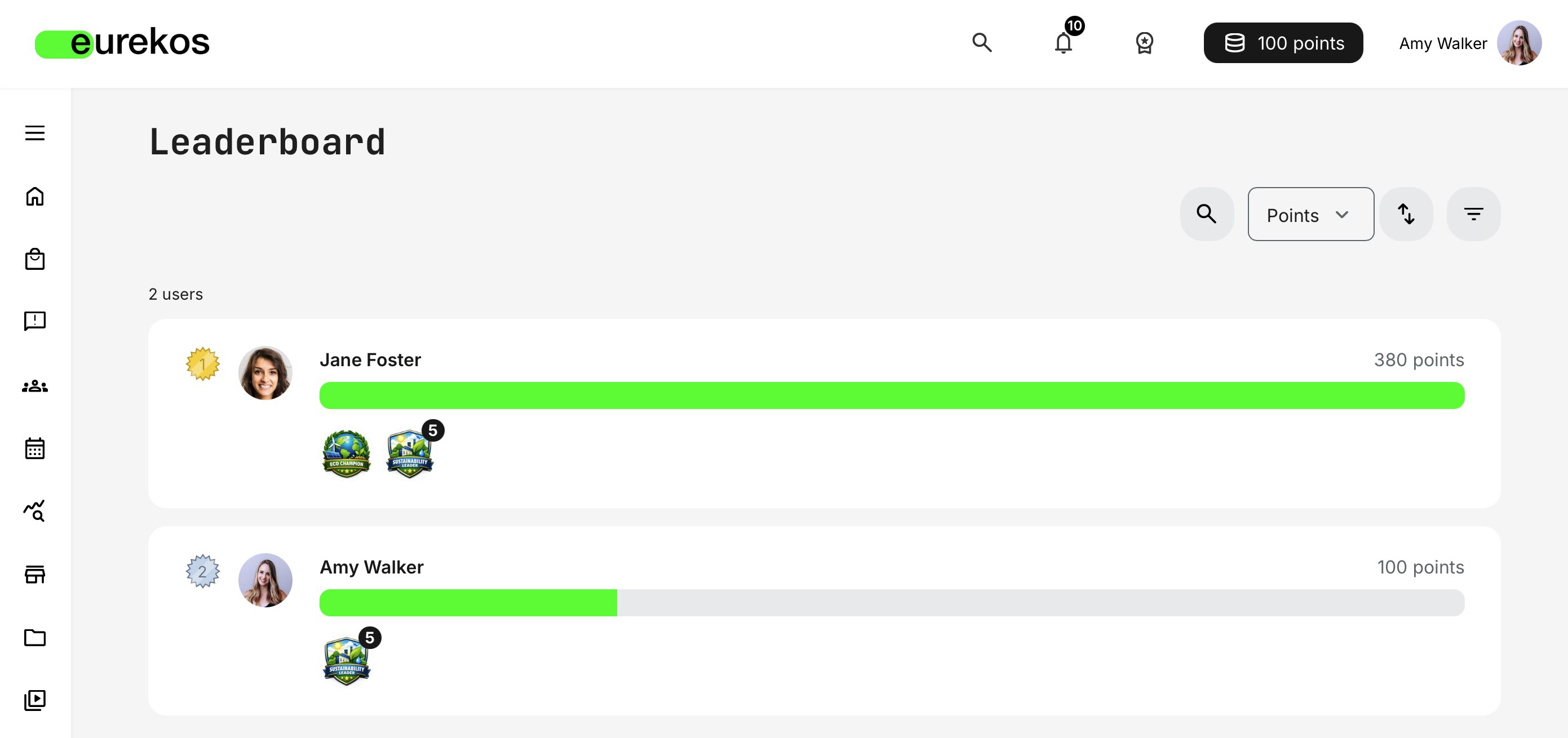
When enabled, leaderboards allow learners to compare progress with others.
What learners see depends on configuration:
- Leaderboards may be global or organization-specific
- Visibility may be restricted by role
- Rankings reflect points earned within the defined scope
From the user’s perspective, the leaderboard answers a simple question: “How do I compare to others like me?”
It displays learners ranked by the points they have earned, creating visibility, recognition, and a sense of progression. When organizations are used to segment incentives, visibility is automatically limited to users within the same organization(s) — ensuring that comparisons remain relevant and context-appropriate.
Additional filters can be applied to refine the leaderboard view, allowing users to focus on specific organizational segments within the broader structure. Rankings follow the same calculation logic but are recalculated within the selected organizational scope.
When scoped to organizations or similar audiences, leaderboards feel competitive but safe—reducing privacy concerns and increasing relevance.
The Shop Experience: Turning Effort into Choice
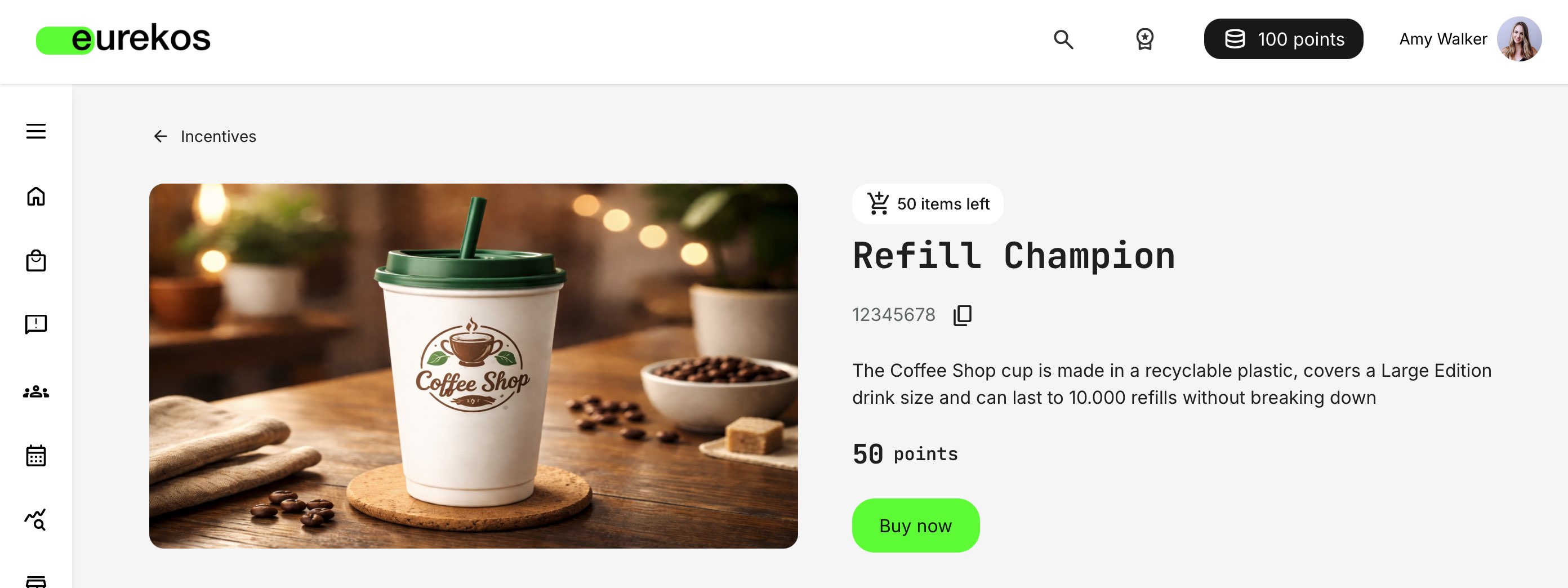
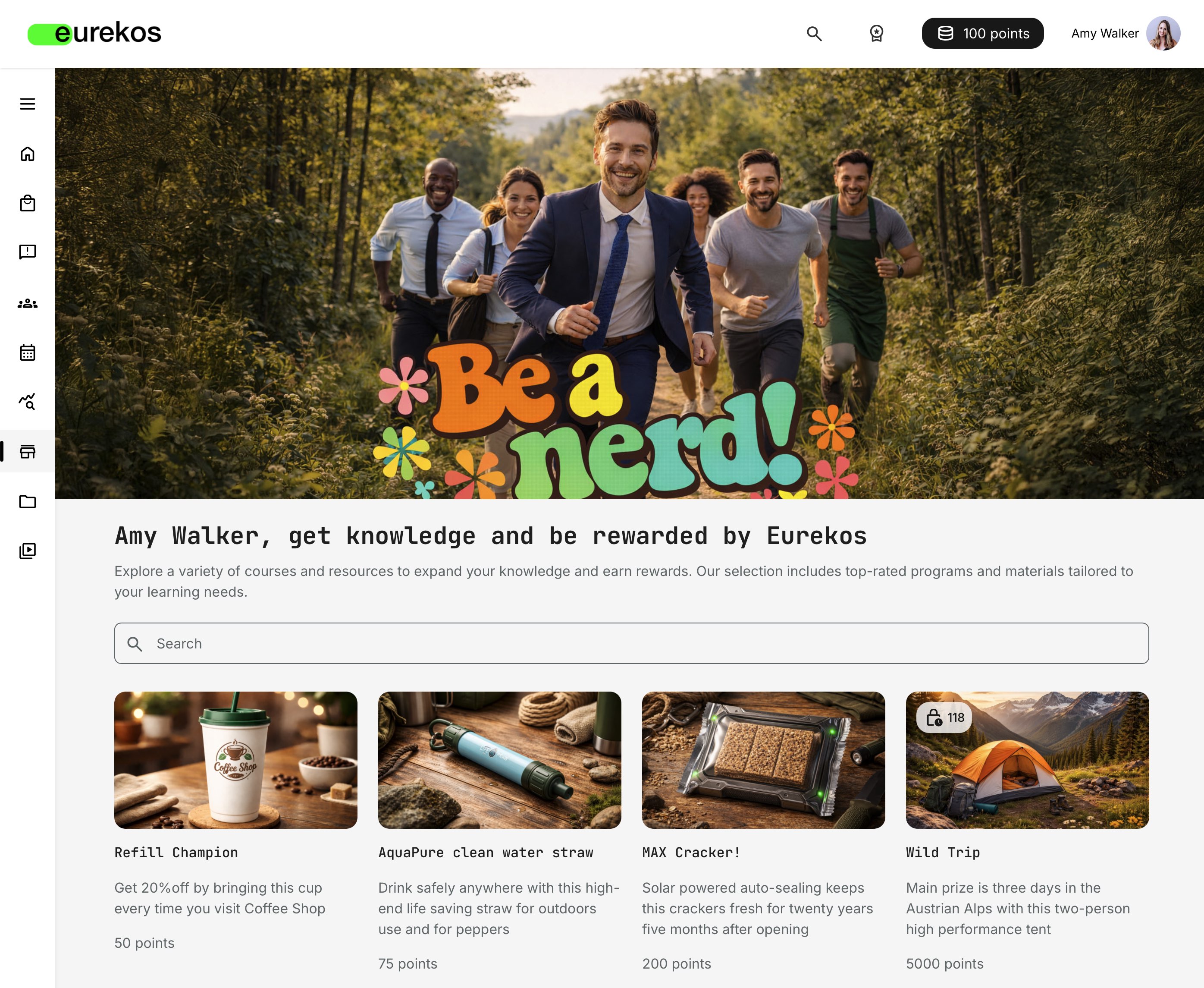
If the incentives shop is enabled, learners can browse available rewards and redeem points.
The shop experience includes:
- Clear product listings with point cost and availability
- Visibility into limited quantities or time-bound offers
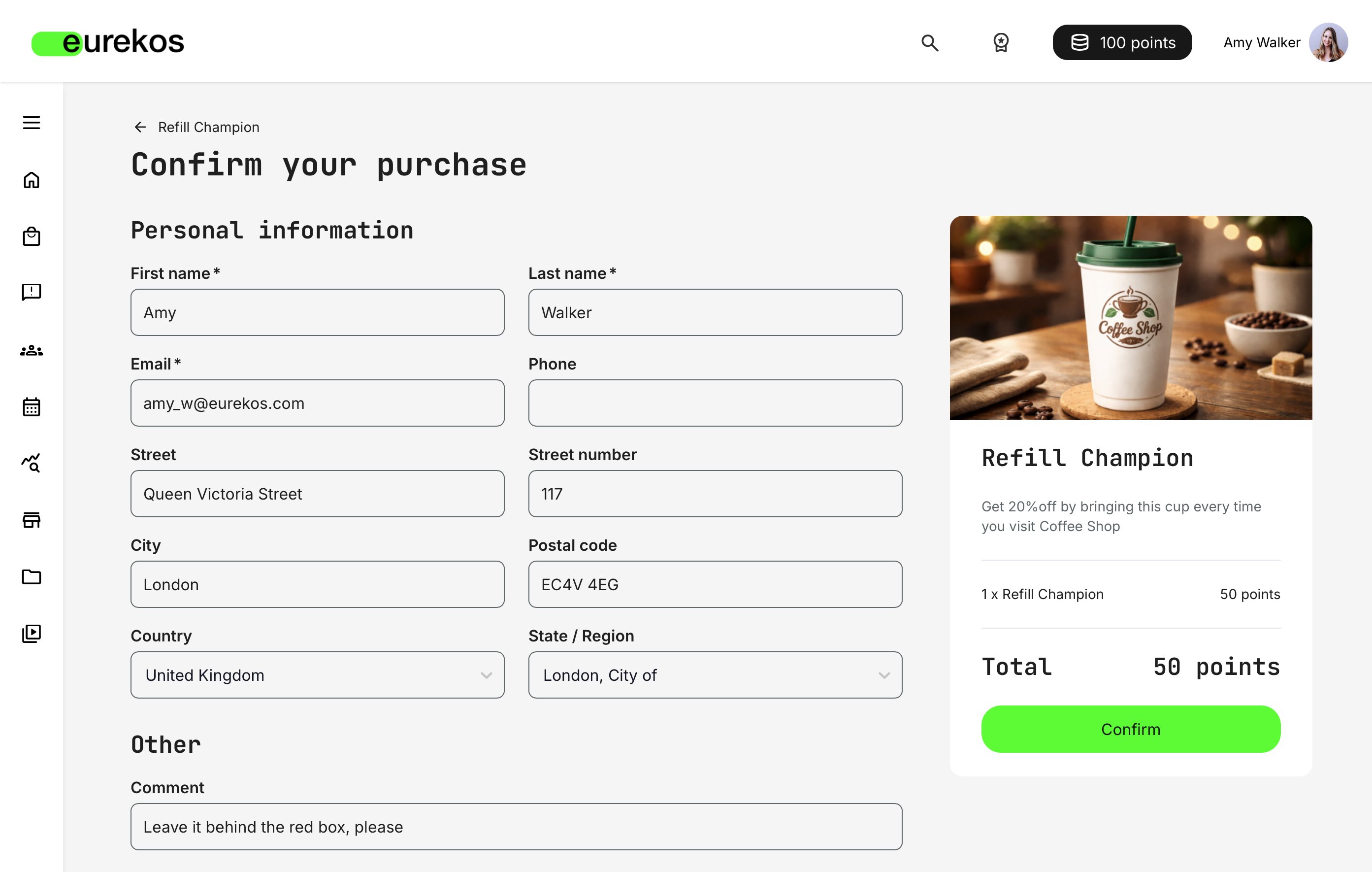
- A simple redemption flow
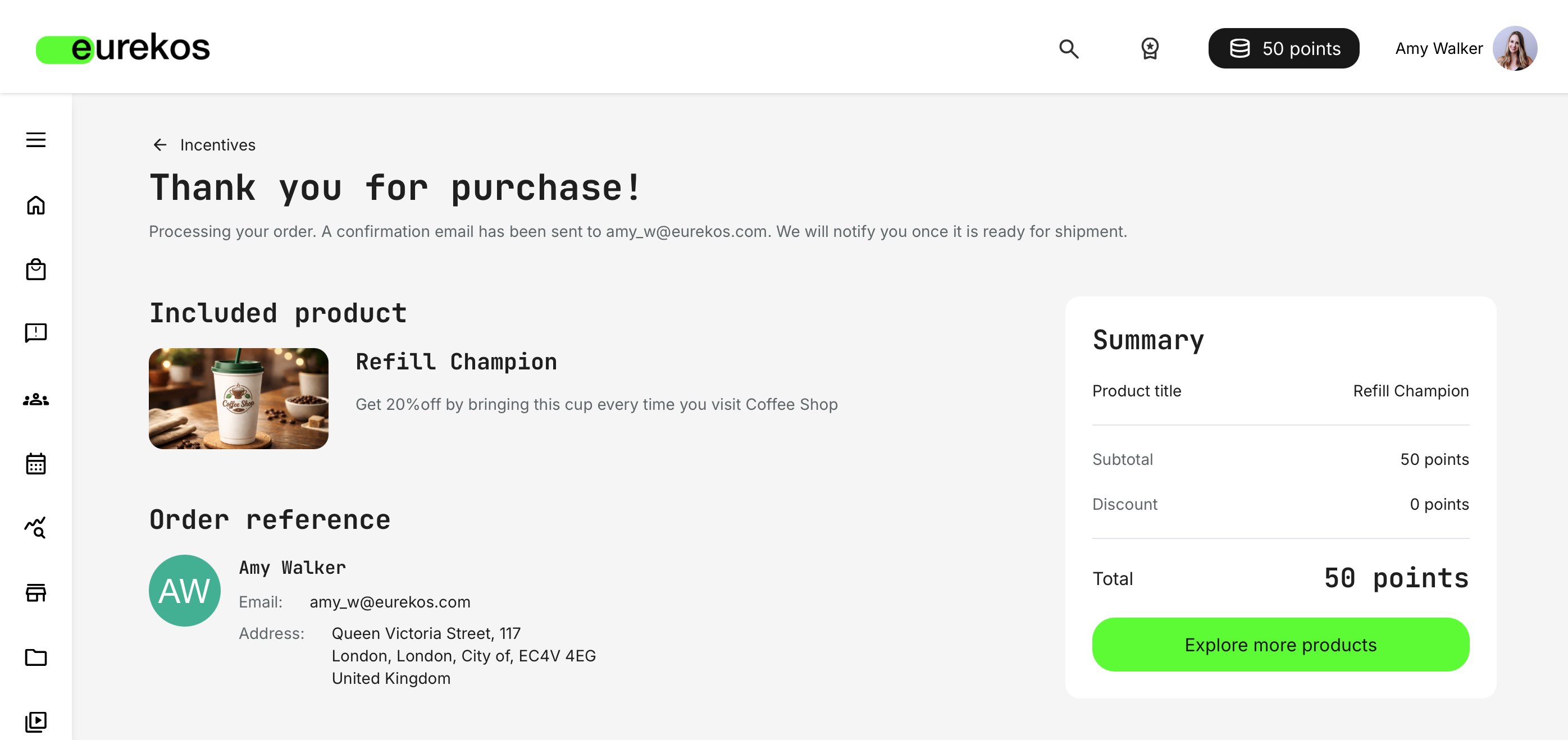
- Confirmation and order tracking
Important: Learners do not enroll in or purchase training directly through the Incentives Shop.
Instead, incentives can be used indirectly—for example by offering vouchers, discount codes, or access entitlements. These rewards can then be redeemed and fulfilled manually, enabling you to promote discounted training, special access, or bundled offers without automating enrollment itself.
This approach provides flexibility while keeping commercial and enrollment logic under administrative control.
The shop exists solely for rewards, keeping learning and incentives conceptually separate.
Redemption and Fulfillment Transparency
After redeeming a product:
- Learners receive confirmation
- Order status is visible (e.g. created, shipped) on the user profile
- Physical or digital fulfillment follows the organization’s process (and may include an automated “Order shipped” standard email)
This transparency is critical for trust. Even when fulfillment takes time, learners can see that their effort has translated into a real outcome.
Incentives as a Continuous Experience
From the learner’s point of view, incentives are not a campaign or feature—they are an ongoing signal of progress and value.
When designed well:
- Incentives reinforce learning without distracting from it
- Rewards feel achievable and fair
- Progress is visible, motivating, and trustworthy
This is what turns incentives from gamification mechanics into engagement infrastructure that drives business goals.
FAQ
-
What happens to leaderboards when learners belong to multiple organizations?
A prerequisite for this behavior is that Incentives are restricted to specific organizations.
When a learner is associated with multiple organizations, leaderboard visibility follows the organizational context in which the incentives program is configured.
- If incentives are segmented by organization, the learner will appear on the leaderboard within each relevant organization, but comparisons remain isolated within that specific audience. This ensures fair benchmarking and prevents unintended cross-organizational visibility
- If a learner belongs to multiple organizations included within the same incentives scope, they appear in a combined leaderboard view spanning all learners in those organizations, sorted according to their overall ranking within that defined scope
Filters can further refine the leaderboard, allowing learners and administrators to focus on a specific organizational relationship when needed.