Merge user accounts - Article
Merging user accounts to troubleshoot training history
Some users have multiple accounts either through mistake or for good reasons, like having moved from one distributor to another and given a new email account. In these cases, the user would very much like to carry over existing training history and certificates.
This is option is available from the Users list.
- Merge users accounts will merge the training history into 1 account.
- The minimum number of users is 2 the maximum is 10.
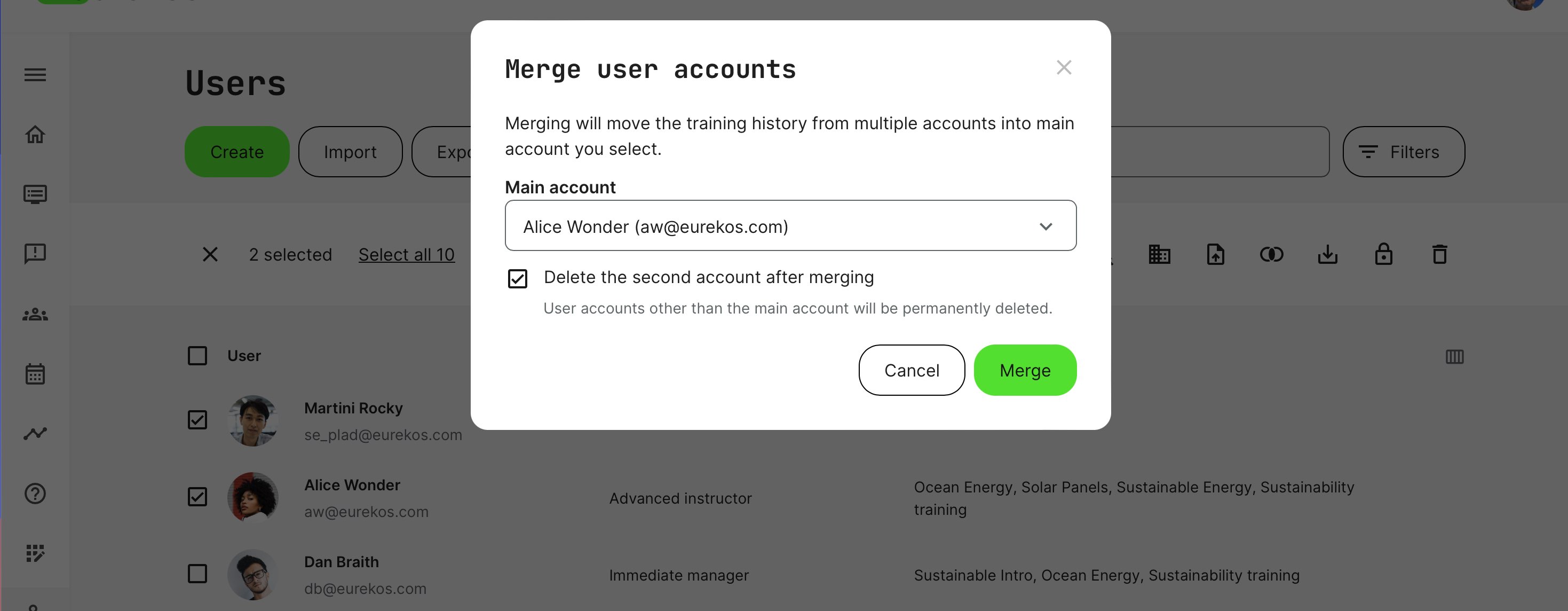
Merging accounts
Upon selecting minimum two users, click merge to select the main account, which will retain the combined training history. The other accounts are permanently deleted.
Note: merging process is running in the background, which means it can take some time to see results. Be patient.
Do not repeat the process, swap and start multiple simultaneous operations on the same users, while the process runs. This can corrupt the results.
When the process has complated, the main user will have all the training progress transferred.
- All activities are transferred with progress - e.g., page, video, audio, tests with attempts and time limit, etc.
- Activity related restrictions - e.g., registered, waiting list, reserved, participation approval options, etc.
- All data and reports for this user reflects the progress.
- All certificates, re-certification processes.
- All notifications and upcoming emails.
- All announcements and events.
- All subscriptions.
- All previous transactions are migrated.
- If any activities are identical between the user accounts, the best progress will be used.