Knowledge Base: Create an Article-Based Support Service - Article
Summary
People often need a clear answer at the moment of work: how to register a product, prepare for a service visit or complete a task in your academy. A maintained Knowledge Base makes that guidance available without requiring a support conversation or a full training course.
The optional Eurekos Knowledge Base provides your own Help Center with articles, topics and reusable FAQs. You control the content and intended audiences, while search and the Help Center AI assistant, where enabled, help people find relevant explanations.
Use this article to:
- Choose which knowledge belongs in articles, courses or the Resource Library
- Understand the customer-managed and Eurekos-managed Help Centers
- Plan a useful first release and sustainable ownership
Support people across the customer and partner journey
A training academy can explain booking, attendance and certificate requirements before a learner needs help. A manufacturer can guide distributors through a product-support process. A partner program can give local coordinators practical instructions for enrolling their teams. These are different audiences with different questions; an article service gives each a useful route to an answer.
The value is more than reducing repeated tickets. Consistent explanations make the service easier to adopt, reduce avoidable mistakes and let support teams spend time on exceptions. For a commercial academy, confidence about access, payment and the next learning step can also remove friction in the customer relationship. Keep the advice accurate and useful rather than turning every article into a promotion.
Keep customer-ready knowledge connected to your service
An internal knowledge base often contains working notes, unresolved issues and documents that are not ready for customers or partners. Your customer-facing Knowledge Base gives that audience a deliberately maintained collection of vetted explanations. Content owners decide what is ready to publish and which roles should receive it, keeping internal working knowledge separate from approved guidance.
The connection to Eurekos brings that guidance into the same service relationship as learning. People can enter through their existing LMS identity and reach articles selected for their roles. Where Release notifications are configured, the users and roles maintained in the connected LMS also provide the basis for relevant product updates. A software provider can therefore maintain its users through the connected service and communicate a change to the appropriate audience without rebuilding an independent recipient list for every update. See Publish Help Center Release Updates and Planned Changes.
A maintained article collection also gives the Help Center AI assistant, where enabled, an approved source of how-to guidance, terminology and context. Keeping this knowledge within the Eurekos ecosystem provides a coherent foundation as services and AI capabilities evolve. Use the sources and connections supported by each enabled assistant; courses, Resource Library documents and Help Center articles retain their respective access and retrieval models. See Prepare Reliable Knowledge for the Help Center AI Assistant for source preparation.
Choose the right home for the knowledge
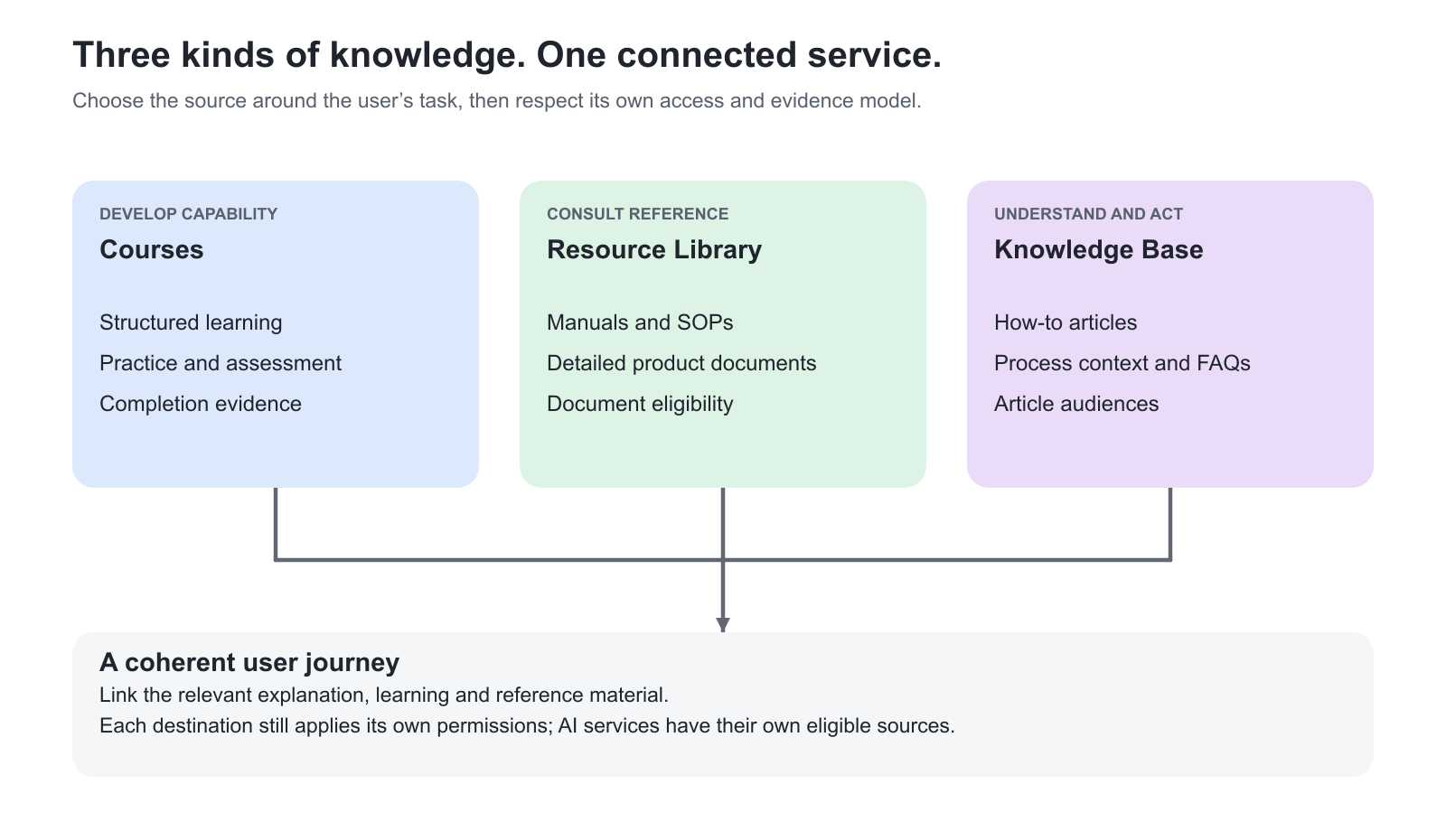
The same service can use several forms of knowledge. Choose the form around what the person needs to do and the evidence you need to retain.
| Need | Best fit | Practical example |
|---|---|---|
| Develop and demonstrate capability | A Course delivered through a Training Activity | A technician learns battery diagnostics and completes an assessment |
| Consult a detailed reference asset | The Resource Library, with its document access relationships | An eligible service partner retrieves the current installation manual or SOP |
| Understand a process or resolve a recurring question | A Knowledge Base article and relevant FAQs | A partner finds the steps for arranging a service visit or recovering course access |
| Apply an explanation to a question | The appropriate AI assistant, where enabled, using its own eligible sources | A reader asks how a process works and follows the source article for the complete instructions |
For the complementary document service, use Introduction to the Resource Library. The Introduction to the AI Learning Assistant explains the separate learning-source assistant experience.
A Knowledge Base article is not a training enrollment, assessment or completion record. The Resource Library has its own document and access model. Linking these sources can make a service coherent, but publishing an article does not grant access to a linked Course or restricted document. Keep each source authoritative for the task it owns.
Understand the two Help Center services
Your organization can maintain its own customer-facing Help Center while retaining the Eurekos-managed Help Center for operating the LMS. The platform can connect to both at the same time. This separates your product, service and academy guidance from Eurekos platform administration instructions.
For example, your Help Center can explain which maintenance program a distributor should follow, while the Eurekos Help Center explains how your team configures that program in the platform. Agree the names and entry points during setup so users understand which service they have opened.
The Knowledge Base is an optional product that must be requested and configured. Availability, included capabilities and any additional cost depend on your agreement with Eurekos. Agree the Help Center address, connection to the LMS, content administrators and intended public access before preparing the launch.
Build around questions people recognize
Start with the decisions and tasks that generate real demand. Group related articles into Topics such as “Getting started”, “Bookings and access” or “Product support”. Avoid copying your internal department structure when users do not know which team owns a question.
| Starting situation | Useful first content |
|---|---|
| A new partner program is launching | Explain who the service is for, how partners enter, how training is assigned and where to get assistance |
| Support receives the same access questions | Create one authoritative access guide and attach concise FAQs for recurring exceptions |
| Product guidance is scattered across teams | Separate practical how-to articles from controlled manuals and define an owner for each source |
| Several roles use the academy | Provide shared guidance where the process is the same and role-specific articles where the actions or outcomes differ |
Write enough local context for the reader to decide whether the guidance applies. State prerequisites, exact actions, expected results and meaningful exceptions. A short article that omits a critical dependency can create more support work than it prevents.
Give the service an operating owner
Appoint a content owner and reviewers who understand the process being described. Help Center content administration is a separate responsibility from having an LMS Administrator role. Decide who can prepare content, who checks it and who is responsible for publishing it; do not assume the application provides an approval workflow for those internal responsibilities.
Keep a small external editorial record of owners and review dates if needed. Review content after a process change and use article feedback and support questions to identify unclear explanations. Maintain the existing article when its purpose remains the same so links from courses, messages and bookmarks remain useful.
Launch one dependable support journey
A good first release contains a coherent set of answers for a real audience rather than a large collection of incomplete pages. Prepare the key Topics, publish only checked content, test the intended reader access and confirm that search leads to the right answer. Add depth as recurring questions reveal the next priorities.
Continue with Connect Your Knowledge Base and Manage Reader Access to establish entry and audience rules, then Organize Help Center Topics and Navigation to design the structure.
FAQ
-
Is the Knowledge Base included automatically with every Eurekos platform?
It is an optional product that must be requested and configured. Confirm availability, included capabilities and any additional cost with Eurekos as part of your agreement.
-
Does the Knowledge Base replace courses or the Resource Library?
No. Articles explain processes and answer recurring questions; Courses support learning and its evidence; the Resource Library distributes reference documents using its own access model. They can complement one another without sharing identical permissions.
-
Can we keep the Eurekos Help Center alongside our own customer Help Center?
Yes. The platform can connect to a Eurekos-managed Help Center and a customer-managed Help Center at the same time. Agree the names and entry points so readers can distinguish platform administration help from your organization’s own guidance.