My Overview (Instructor) - Article
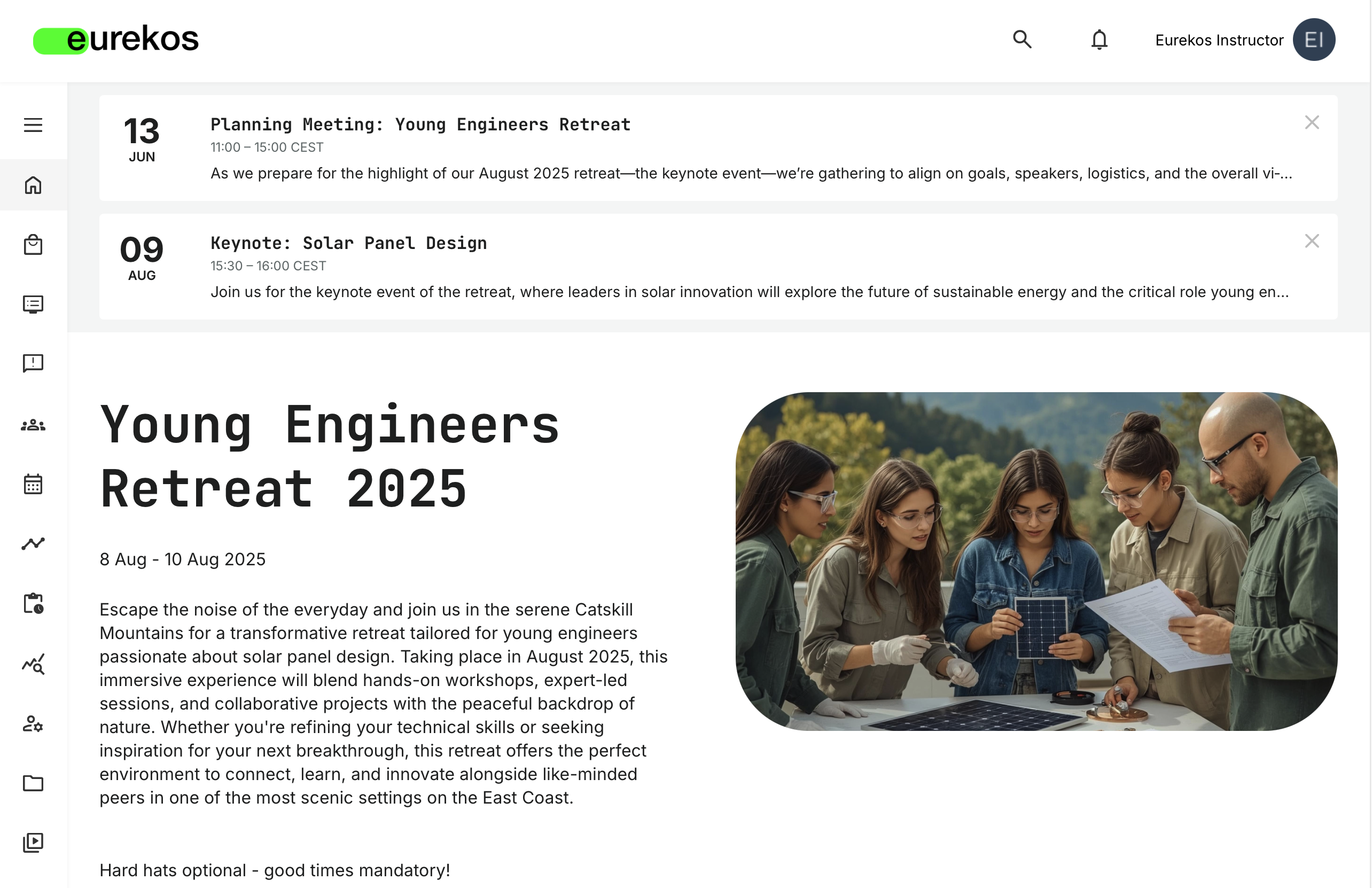
Instructor Home Screen
Instructors are intended to coordinate, facilitate, and assess the trainings that they instruct. They can create and co-author courses, moderate communities and meetings, mark attendance, and assess assignments, as well as create announcements related to their trainings. They can access analytics for the trainings they instruct, and they can provide a passing/failed grade for courses where certification requires a practical assessment.
While some instructor roles offer limited user management options, their main focus lies in their duties as course instructors, and thus their Home Screen is based on their trainings and learning communities.
If a user with the Instructor role is attending any training themselves, the role-specific Instructor Home Screen will appear similar to that of a regular participant at first glance. As such, it will be headed by a top tile featuring the user’s most relevant current or future training, followed by rows populated with trainings grouped by the same logic as other participants. If you wish to explore this training focused layout further, please visit our Participant Home Screen article to learn more.
For Instructors, the main feature added to their role-specific Home Screen is the “Trainings I Instruct”section, nestled right below “Trainings I Attend”:
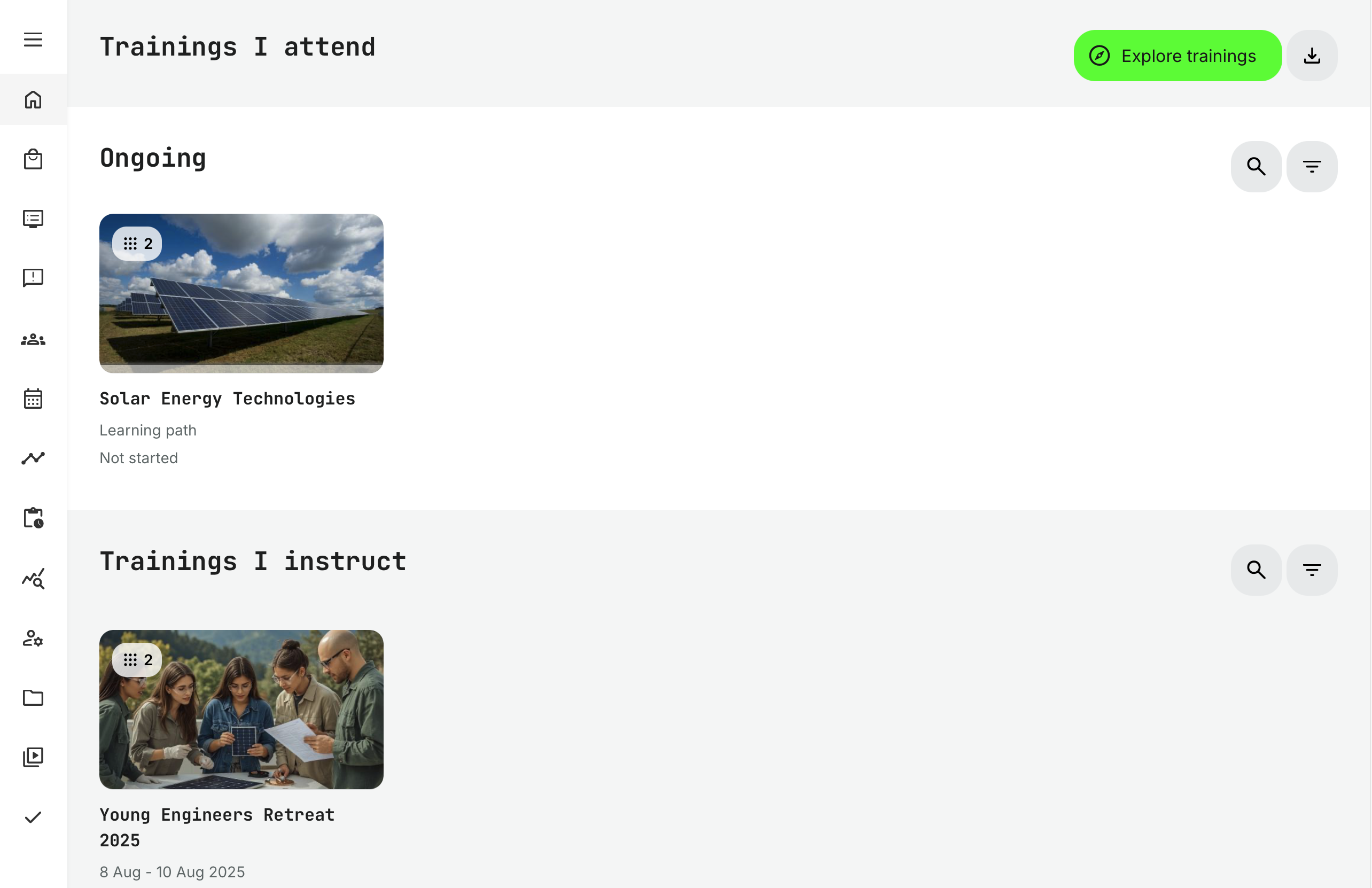
Sorted by chronology from top to bottom, these are then the sections of the Instructor Home Screen:
- Calendar Entries: Upcoming events involving the Instructor are shown here
- Training Highlight: Showcasing a training that has particular relevance for this user
- Trainings I Attend: This overview features current and future trainings available for self-enrollment, searchable by title, short description, and tags
- The [Explore Trainings] button serves as a gateway to the Storefront, and you can download your transcript by using the neighboring [Get Transcript] button – stylized as a downward facing arrow
- Search and Filters enable quick browsing of ongoing training activities
- Trainings I Instruct: A section dedicated to current and future trainings with this Instructor as their designated responsible
- Upcoming Events: An overview of Calendar events relevant to this Instructor
- Communities: Here, the Instructor can access the communities they belong to
Attendance marking
Instructors may be required to mark attendance for certain training sessions, whether in-person or virtual, as part of their programs.
- To support this responsibility, the Training Activities assigned to them will display reminders on their dashboards, prompting them to complete attendance marking when needed. This is in addition to receiving an email reminder
- Attendance marking can be initiated from both the Calender Event, the notifications at the Instructor Home Screen and from the Progress overview in Analytics
This step is especially important, as marking attendance can be a prerequisite for issuing certificates—making it a critical task in the overall training workflow.