Understand Completion Messages and Next Steps - Article
Summary
Finishing a learning step should lead to a clear acknowledgement and a useful next action. Completion messages connect the recorded outcome with the next module, feedback or certificate actions that apply.
Completion messages confirm a recorded status change and guide the participant to the next available action. Module and activity completion are separate levels. Eurekos coordinates the messages so a participant is not interrupted by redundant popups when both levels complete together.
Use this article to:
- Distinguish module and activity completion
- Understand when messages and banners appear
- Interpret feedback, rating, certificate, and next-module actions
- Understand video-only completion and recertification behavior
- Troubleshoot a missing, repeated, or premature message
Completion is a status transition
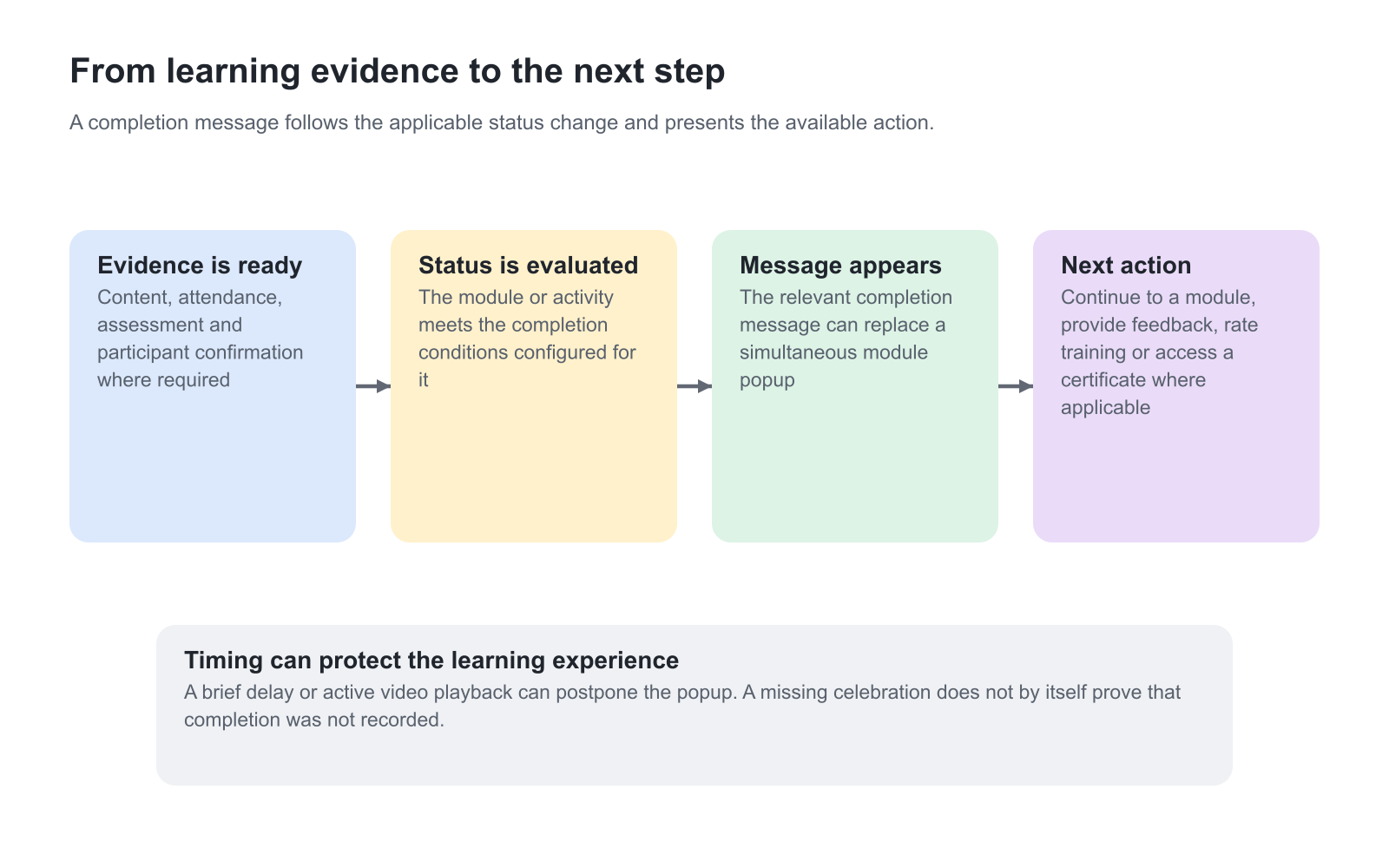
A completion message appears because the platform has recorded a relevant change in status. It is not merely a celebration shown when the participant reaches the bottom of a page. The underlying module or activity rules determine when the transition occurs.
Module and activity completion
| Completion level | What changed | Typical next action |
|---|---|---|
| Module completion | The current Course, Event, Assignment, SCORM, Existing Training, or other module satisfied its completion behavior. | Open the next uncompleted available module or return to the Learning Path overview. |
| Activity completion | The participant satisfied the Training Activity’s required route and activity-level conditions. | Acknowledge completion, provide feedback, rate the training, receive a certificate, or return to the broader learning context. |
| Certificate issuance | All configured certificate criteria were satisfied and issuance was completed. | Download or access the certificate according to the participant experience. |
When the final module and the Learning Path complete at the same moment, the activity-level completion experience can replace the separate module popup. This avoids showing two consecutive congratulations messages for one action.
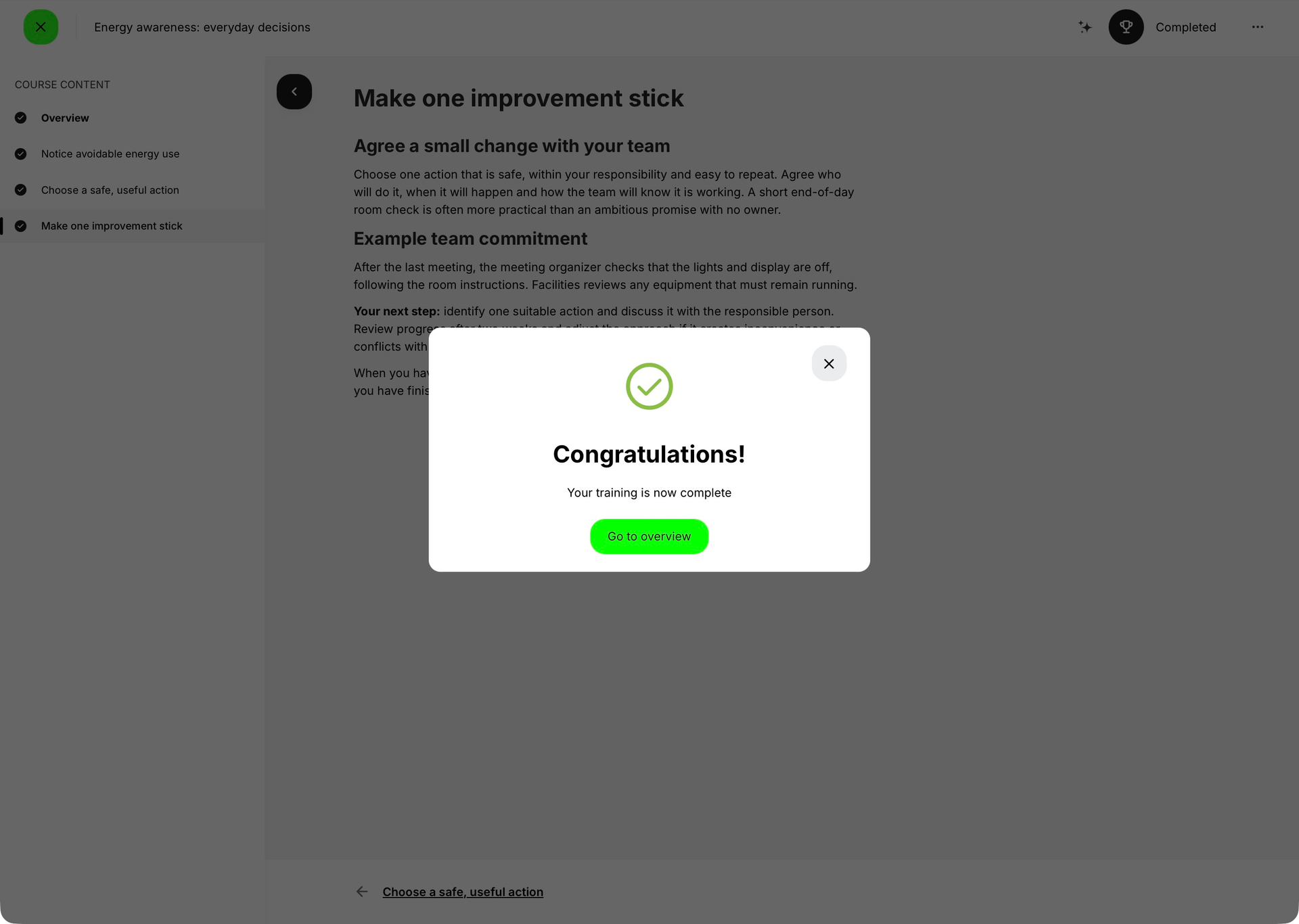
Read the destination label literally. Go to overview in this example returns to the broader overview, not to another unfinished Course page. A message offering a next module serves a different purpose. Neither the shape of the popup nor the presence of a return button establishes that a certificate was issued.
Message timing
Completion messages are commonly delayed briefly so the status can recalculate and the learning interface can settle. Platform configuration can change or remove the delay.
For a video-only completion route, the popup avoids interrupting active playback. It can wait until the participant has crossed the required threshold and pauses, or until the video reaches the end. This protects the learning experience while still recording completion promptly.
What a completion message can contain
- Confirmation that the module or complete activity is Completed.
- A route to the next uncompleted available module.
- A request to provide configured feedback or answer a questionnaire.
- A training rating control where rating is enabled.
- Certificate information or a delayed automatic certificate download after remaining criteria are satisfied.
- An explanation that an adaptive route has become shorter because a module is now optional.
The exact combination depends on the module, activity, feedback, questionnaire, certificate, and adaptive configuration. A missing action is not necessarily an error; it can mean the action is not configured, is not available yet, or was already completed.
Feedback and certificate sequencing
Feedback can become available after module or activity completion. If certificate issuance requires feedback or a questionnaire, completion can open the feedback action while certificate issuance waits for submission. After the required response is recorded, the certificate criteria can finish and an automatic download can follow after a short delay.
Keep the sequence achievable. Avoid a circular path in which completion waits for feedback while feedback waits for completion at another incompatible level.
Participant confirmation
When User confirmation is required, the normal learning evidence can be ready while the module remains incomplete. The participant must select Complete before the completion transition and dependent actions occur. The final page should clearly explain the button and its purpose.
Recertification and repeated completion
A new recertification attempt is a new learning attempt and can produce its own completion message. By contrast, recalculating an existing completed activity after ordinary content maintenance does not normally repeat the same completion popup merely because the content changed.
When an adaptive criterion changes or a participant retakes an assessment, the route and progress can recalculate. The participant should receive feedback about the resulting route without being shown misleading duplicate activity completion.
Interpret messages in the context of the current attempt
Several responses can follow one assessment submission. Adaptive-page information, a notification that a module has become Optional, and a recommendation can be presented before the training completion message. These notices explain different outcomes; a recommendation or “Your learning journey is now shorter” notification should not be read as proof that the complete activity has finished.
For example, a participant can pass a Question Set, receive a targeted review recommendation for one answer and still complete the required activity. Another participant may finish the online work but wait for Event attendance or Assignment assessment. Read the stated result and the progress details rather than inferring one universal sequence from the number of popups.
If no celebration appears, check the recorded status first. The message may be suppressed, briefly delayed, postponed until video playback pauses or replaced by the Learning Path-level message. Repeating an assessment is not an appropriate first response to a missing popup.
When required feedback leads to a certificate download, keep Learn mode open long enough for the response to be processed. If the participant leaves before an automatic download occurs, use the available certificate action or certificate record afterward; the absence of that download is not by itself proof that learning must be repeated.
Design a useful next step
The message should confirm what was recorded and make the next action obvious. If more learning remains, guide the participant to the next available module. If the activity is complete, distinguish optional exploration from required feedback or certificate steps. Avoid language that implies certificate issuance when only the training activity has completed.
Troubleshooting
| Problem | What to check |
|---|---|
| No completion message appears | Confirm the status actually changed, congratulations messages are not suppressed, and the participant has satisfied confirmation, attendance, assessment, and other conditions. |
| A video popup appears later than expected | Check the viewing threshold and whether playback was still active. Video-only completion can wait for pause or the end. |
| The participant sees only one popup after the final module | This can be intentional when activity completion replaces a simultaneous module message. |
| Feedback appears but the certificate does not | Check whether feedback or a questionnaire is required for certificate issuance and allow for the configured processing or download delay. |
| A completed participant receives another message | Confirm whether this is a new recertification attempt. Ordinary recalculation should not be treated as a new attempt. |
| The next-module action leads nowhere | Check the remaining module’s restriction, schedule, adaptive state, and availability. Completion should not produce an unreachable next step. |
FAQ
-
What happens when User confirmation is required?
After the module’s other completion requirements are met, the participant must select Complete. Until then, the module remains incomplete. Activity completion, access to later learning and certificate issuance wait where their configured rules depend on that completion.
-
Why did I see an activity completion message but no module message?
When the final module and the complete activity finish together, the activity-level message can replace the module popup to avoid two consecutive interruptions.
-
Why does a completion popup wait until a video is paused or finished?
For video-only completion, the message can wait until playback pauses or ends so it does not interrupt the participant while the video is still playing.
-
Why is the certificate not available immediately after completion?
Certificate issuance may still require feedback, a questionnaire, another criterion, or a short processing delay. Check the certificate criteria shown to the participant.
-
Will completion messages appear again after Course content is edited?
Ordinary content maintenance or recalculation does not normally create a new completion attempt. A new recertification attempt can produce its own completion message.