HTML - Article
You can write and insert HTML on course pages to embed another web service, or simply to customize something we are not offering with standard tools
Most public facing online services offering content will have offer an code. If this is available, you can also embed this service on your pages. It's just a few steps and you don't need to understand HTML to make use of this.
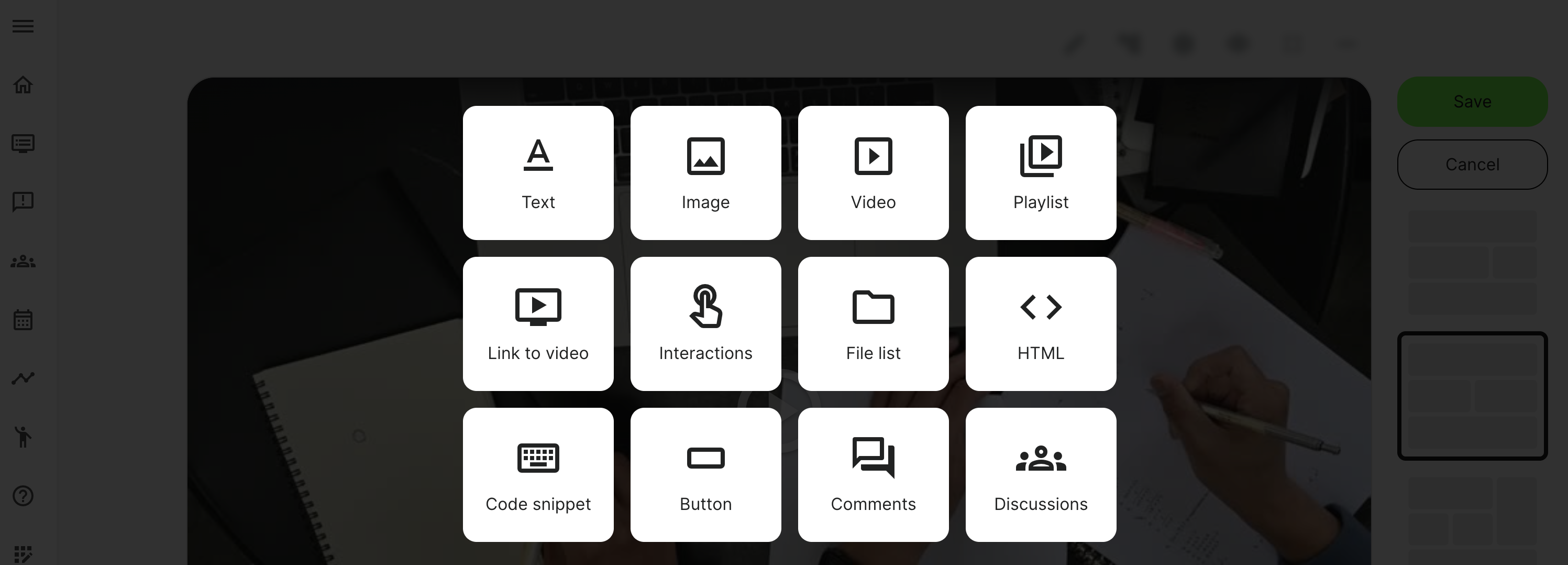
Once you click the Plus icon in page edit mode, you can choose to insert a HTML widget.
Get the code from any 3rd party service
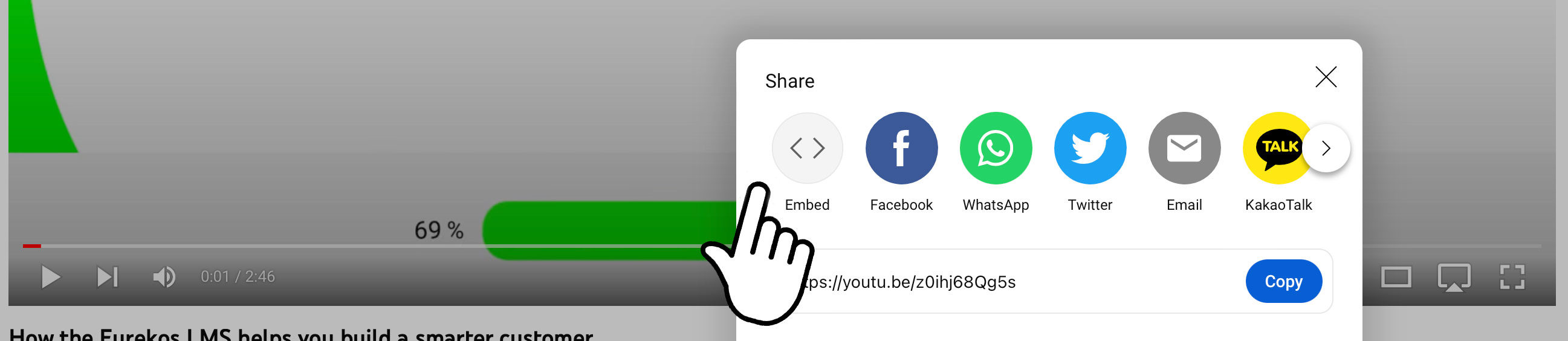
On the relevant 3rd party service, find the embed code, mostly offered through some sort of share option on the tool. This example is from YouTube.
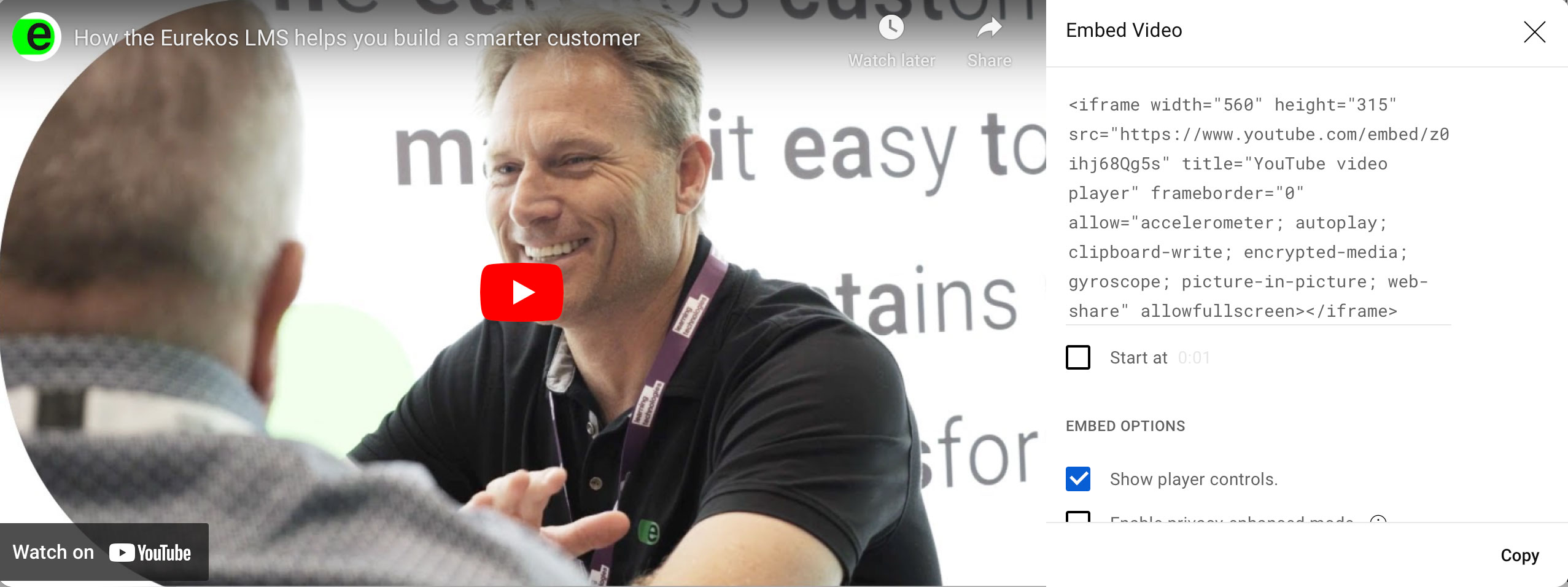
Copy the code
In this case, see that there is a mention of "width" and "height" in the code. That will restrict the size it will scale to when you drag it around, even if the column is wider. The point to make here is that HTML code is something you are responsible for adjustments to.
Paste the code into the HTML tool on your page
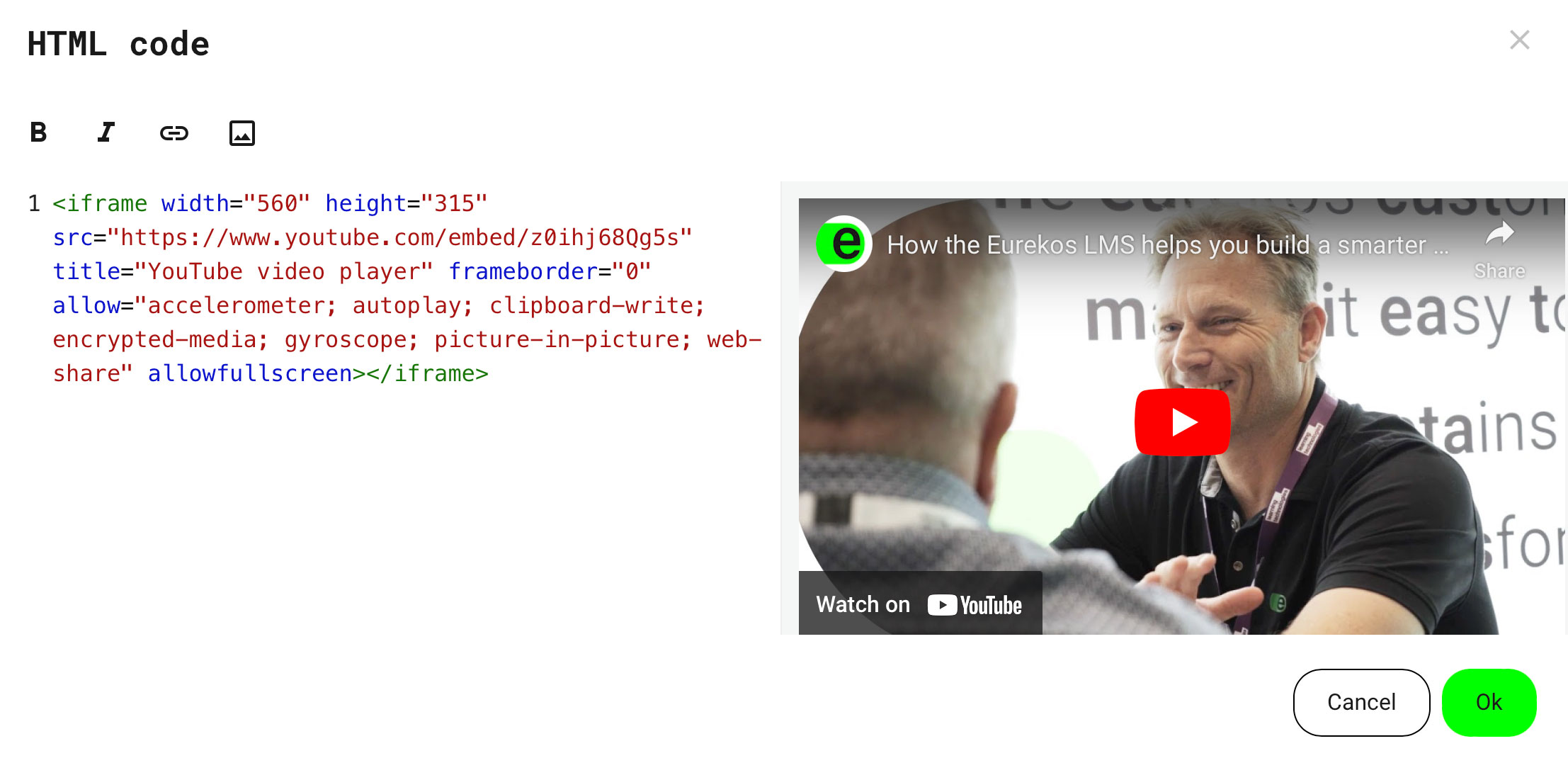
Input or paste the code into the opened window. Lots of resources are extremely valuable from the services offered throughout the world. We highly encourage you to make use of them.
- You get a preview of what you are inserting, as it will look on your page. This way you can confirm everything is what you expect.
- Also, HTML codes allow you to do pretty much everything you want if you are capable of writing it. We don't allow scripting for the sake of the security of your site.