Course versioning - Article
Automatic and forced versioning of courses using major and minor version control
Versioning is automatically supported upon changes and any re-upload or change will also impact the versioning. There are major and minor actions.
The author or administrators can also force a new major version. This is typically when there is a need to halt updates, but keep the previous version separate and intact - e.g., for historical reasons.
Use cases are for example a "new product", which would require a new certification or similar. Also, most likely in combination with still having the previous product in operation and maybe for years to come. This is not unusual for hardware products used across many industries. It is a decision based on circumstances that cannot be automated.
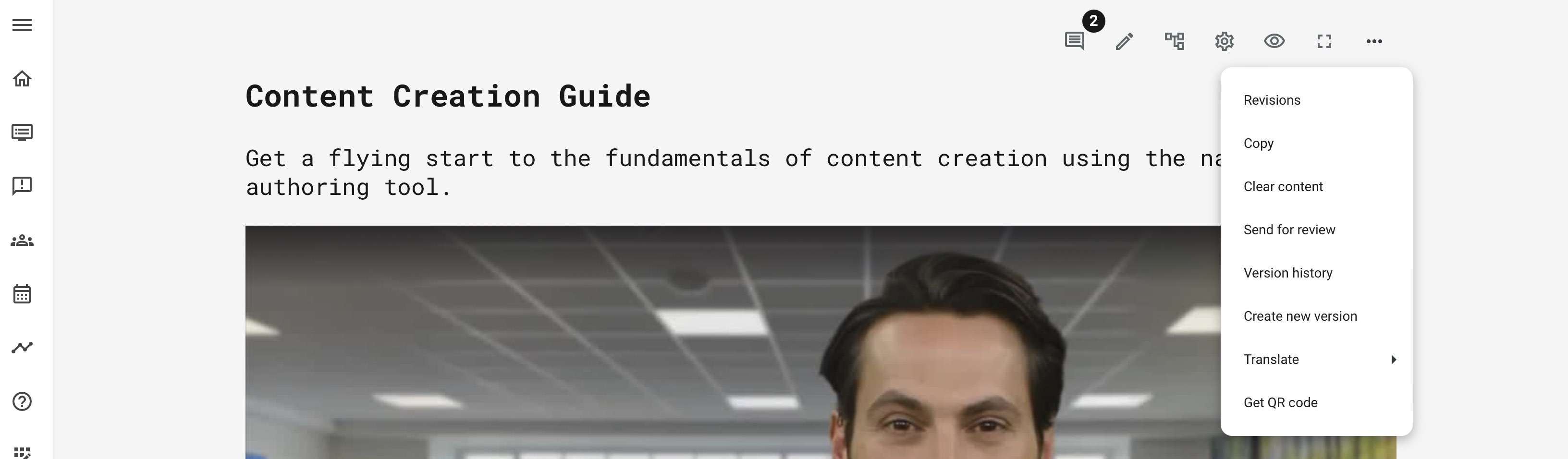
In general, several options in the course "more" menu, are releated:
- Create new version is a major new version.
- Version history is detailed information on minor changes, but also a major new version creation.
- Revisions will allow you to return to previous versions of a course page. Revisions are for this reason, at page level.
How it works
A unique version number is assigned to a course, starting at 1.0, when creating a course through the native authoring tool.
- Minor changes on the course represents saving any changes you made to a course page. Examples are adding text, changing text, adding a new learning object, etc. This will result in a new minor version, e.g., 1.0 → 1.1.
- Major versions are forced by using the feature "Create new version" from the 3 dots menu of a course. This will result in a new major version, e.g., 1.3 → 2.0.
New major version and documentation
When a new major version is being forced on top of a previous course, it probably means that some of the content that was in this training, is still good. But major changes are necessary.
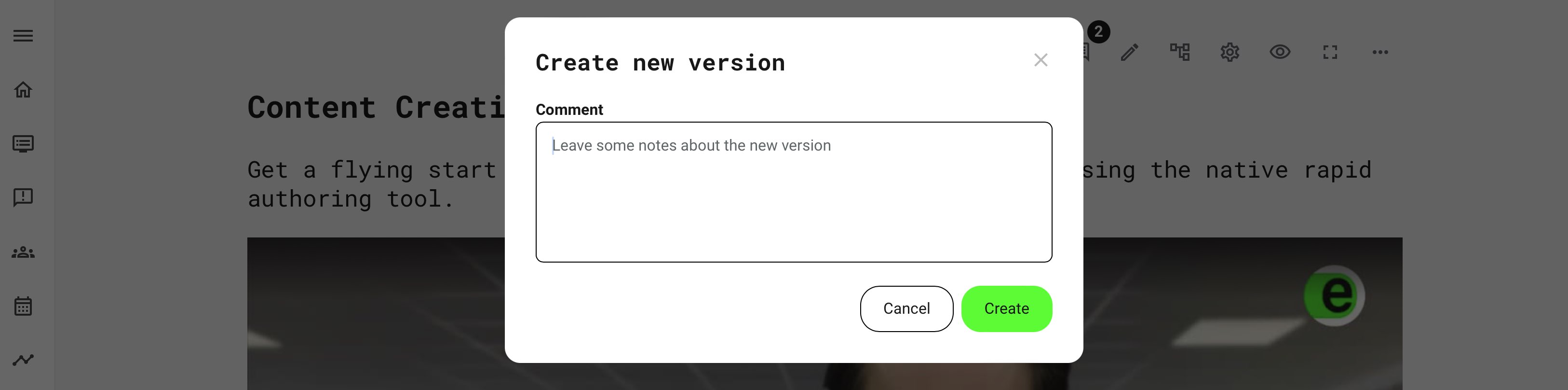
For this reason, it is possible to provide additional context to the changes, for future admins and authors to make sense of the change. This comment will be visible in the version history documentation, on the course.
The new course is starting from e.g., version 2.0 and is a clone of the previous version. Character limit for comment is 255.
Version history
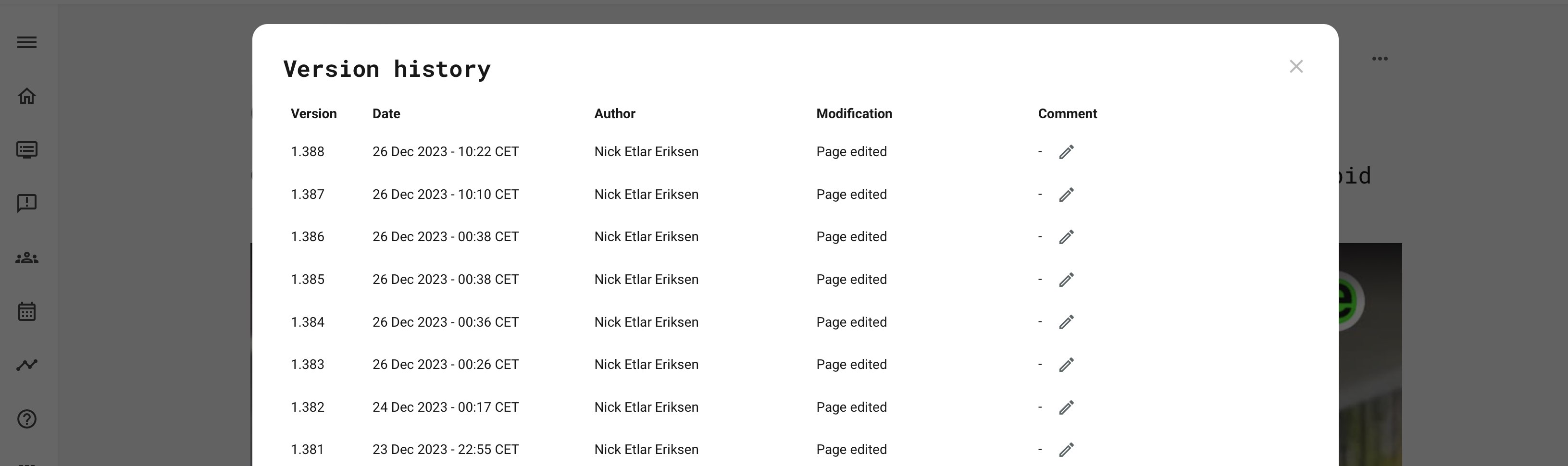
Any change to the course, major and minor is possible to comment on, in the version history list. Changes are only kept within the same minor version.
Revisions
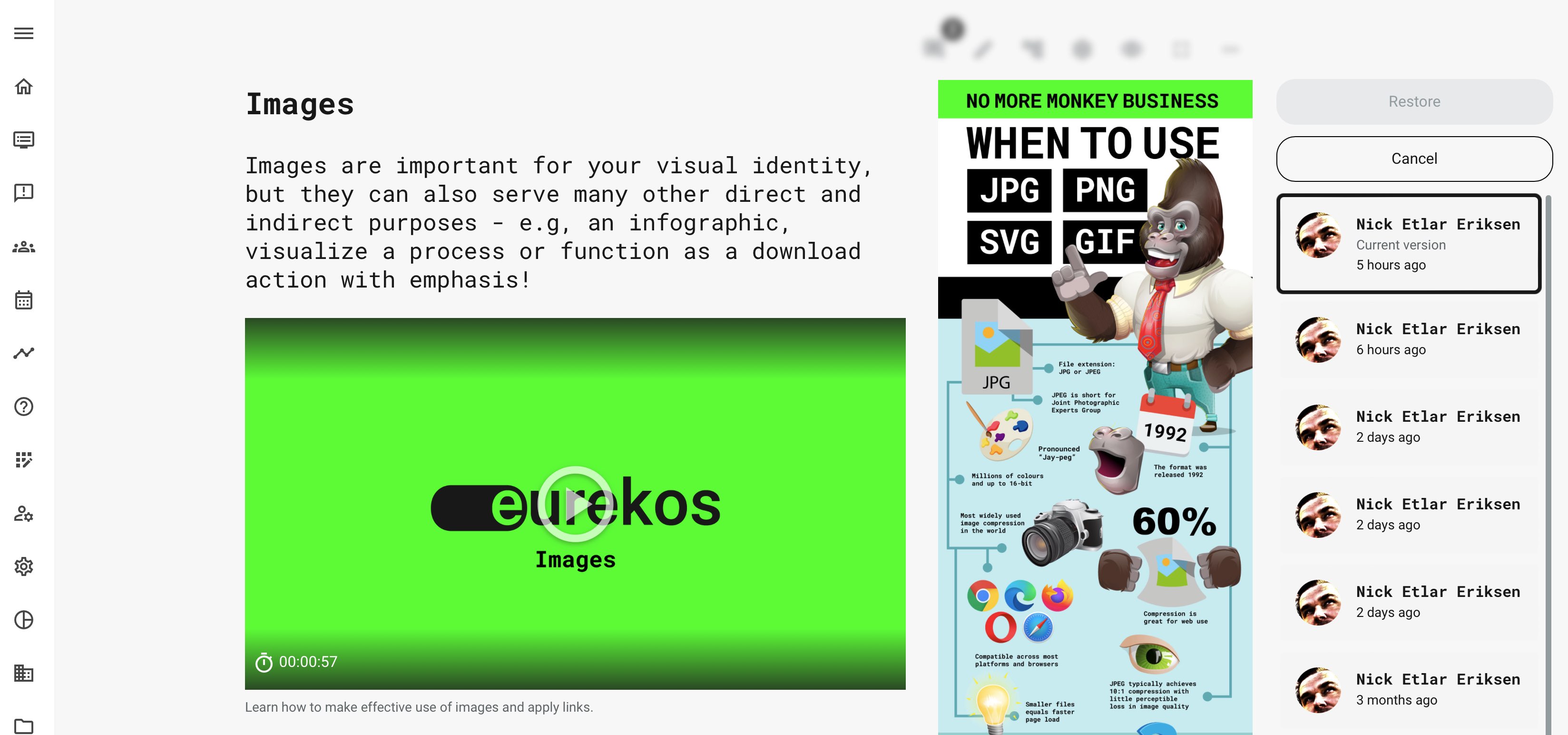
Revisions are closely related to version history, as these represents a minor change. Every time you save a page with any change, this is a minor version.
- All minor changes show on the version history, with the option to make a comment about that particular change.
- On each page, each minor change (each time a page was saved), you can return to the previous version of this change.
- Many learning objects have their own individual version control. Look this up e.g., in the archives for files and videos and playlists.
SCORM courses/Imported courses
If you are using a 3rd party authoring tool to create your courses, versions will work in a similar way, but with less granular options, as this is not technically possible.
- Versions for SCORM/imported courses will be set as version 1.0. You can replace the course in course settings. Each time it is replaced, the version number increases.
- Create new version on a SCORM/imported course, will clone the course and bring up the comment box as above, allowing you to have documentation in place.
Where do the version numbers show?
Version numbers represent critical information in several difference processes and use cases. This is both while creating, editing content, but also for administrators who are setting up facilitation and providing access to the right courses, etc.
- The courses list references the version number upon hovering the course thumbnail.
- Activities references the version number while setting up a learning path and adding course modules.
- Reports references the version number, e.g., as part of the training statistics report. It is important to document which version number of the training materials an individual got his certficate from.
- If the internal Maketplace is used, the course version is transferred and referenced in the course list on the marketplace and the platforms that can download the course.
Cloning a course
Cloning a course does not constitute a new version. This would reset the version number to 1.0, for the cloned course.
The difference is that the original course is potentially a template, inspiration, or simply a great beginning of a new course. Not necessarily related to any type of versioning, other than its own.