Coupons - Article
Use Coupons to offer discounted access with limited groups or open access for periods for SoMe campaigns, custom distribution and more
There are many use cases for coupons and though they can be considered for both B2C and B2B scenarios - e.g., sales might need a little leverage in a public tender and can offer the value that this represents to improve the business case. The CSM team provides added value to individuals or business units by giving access to trainings as part of a VIP campaign. Or a seasonal offering to get kick-started on your next conference could be another case.
Multiple different use cases are covered within the flexible configuration of coupons.
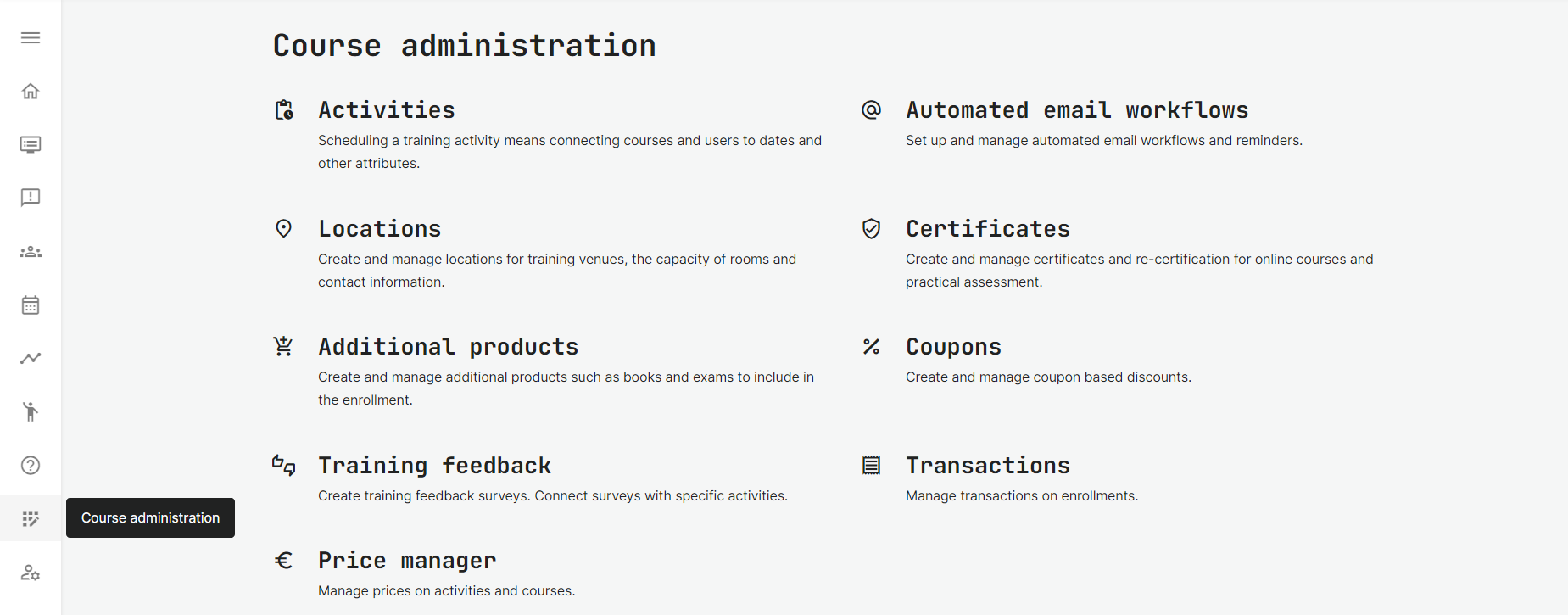
You can manage the function in the Course Administration → Coupons.
Create Coupons
You can create any number of coupon definitions and monitor usage patterns for each of these, as you distribute them for different purposes.
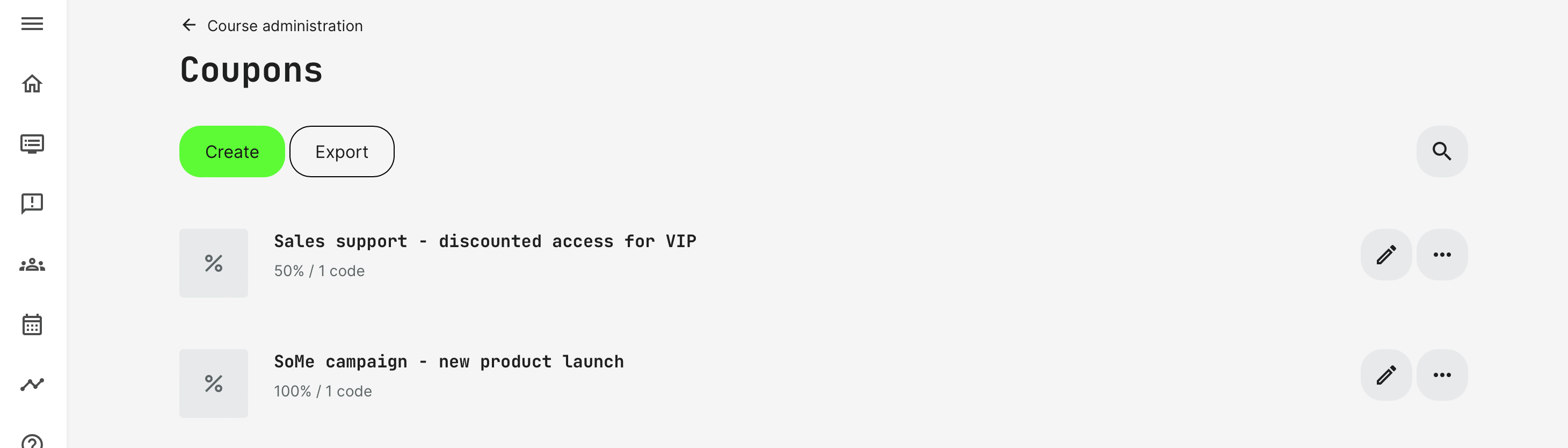
The coupons are listed for easy identification and with options to export usages from all coupons or individual coupons from the overview or the 3 dots for more.
Each coupon is set with a title and a percentage. There are three types of Coupons available, to support various use case you have in mind. These circle around different usage limits.
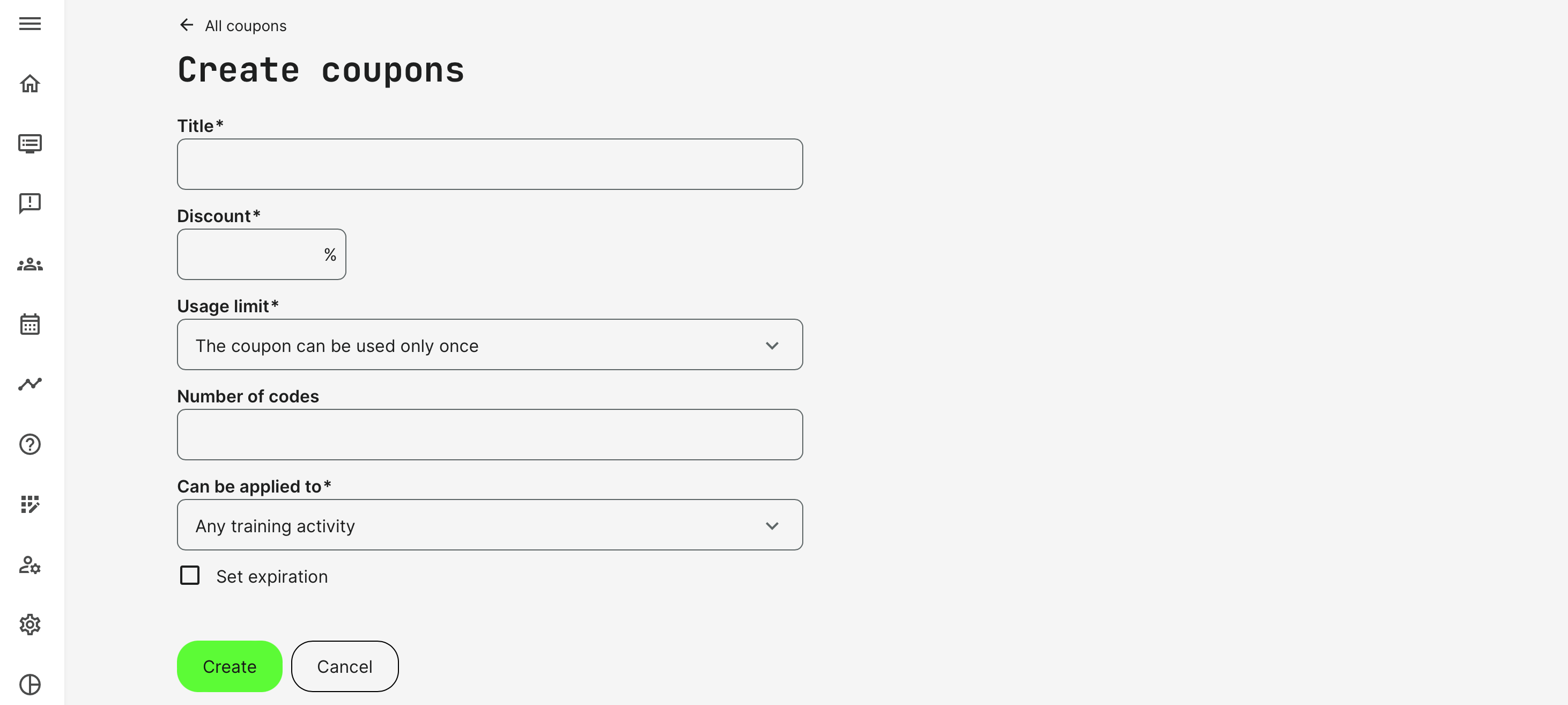
- The coupon can be used only once.
- Each coupon code is unique and can be used only once.
- You can define the number of codes up to 1000 individual codes.
- Can be applied to all training activities or any number of specific training activities.
- The codes can be set to expire at a certain date and time.
- The coupon can be used an unlimited number of times.
- This means it is SINGLE coupon code. Anyone with the code can apply this code to get the discount.
- Can be applied to all training activities or any number of specific training activities.
- Since this is a single coupon code, you have the option of customizing the ID and name it something that makes sense and is unique. This makes it easier to share for various purposes.
- The code can be set to expire at a certain date and time.
- The coupon can be use a certain number of times.
- This is means it is a SINGLE coupon code. Anyone with the code can apply this code to get the discount.
- Can be applied to all training activities or any number of specific training activities.
- Since this is a single coupon code, you have the option of customizing the ID and name it something that makes sense and is unique. This makes it easier to share for various purposes.
- The code can be set to expire at a certain date and time.If there is a limit of codes or times, this value is required (from 0 to 1000). The discount number should be provided with a number from 0 to 100.
Coupons usage
A Coupon is a unique code that is provided during the checkout to apply the discount.
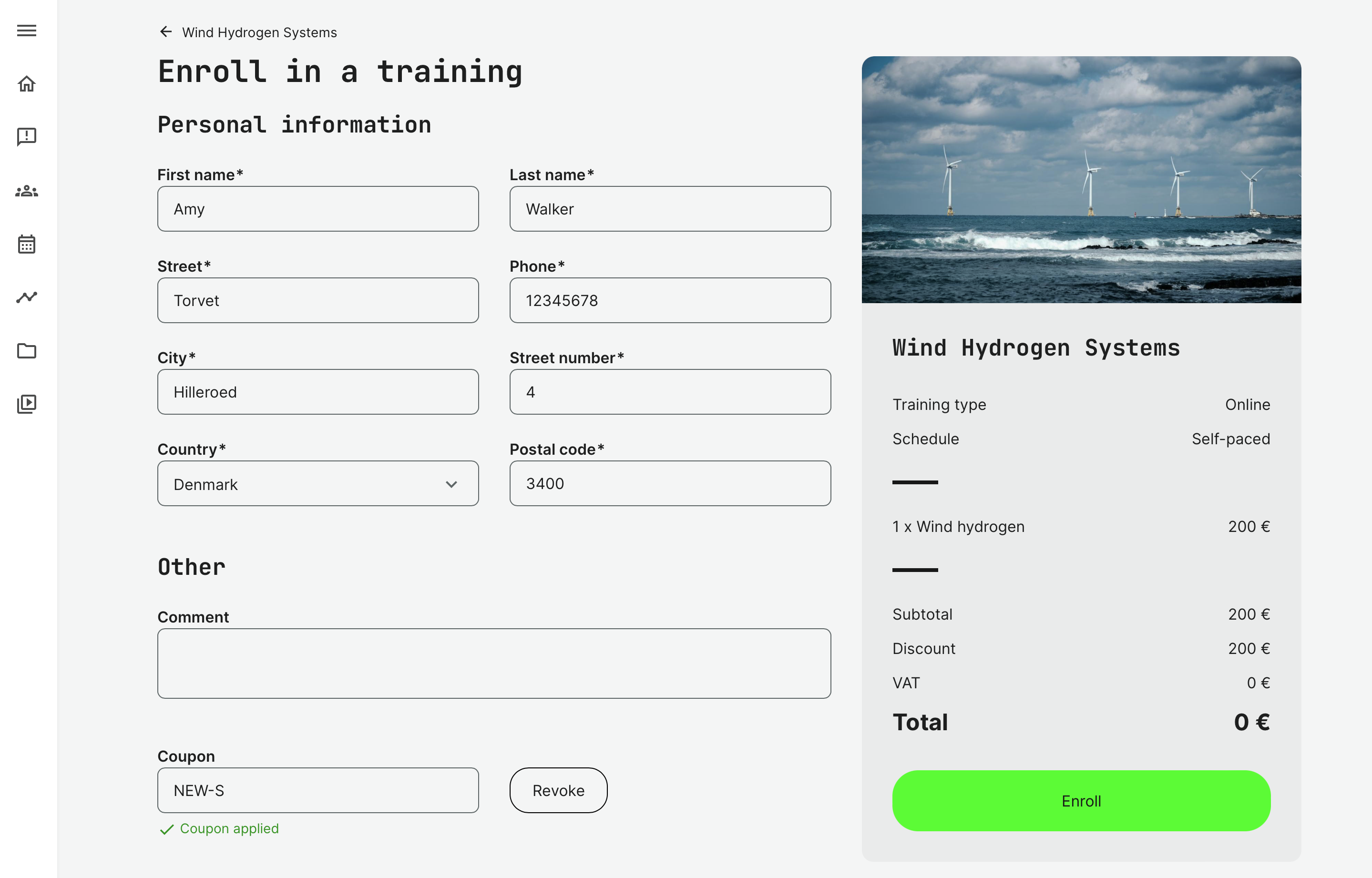
- If there are Additional Products, the discount is applied to the training cost only and not any additional product options.
- The discount applies to any currency any applies to any regular payment method enabled, such as credit card through a payment gate.
- If a training is already free, the coupons option is not available on the checkout.
- Coupons cannot be used in combination with a price in Virtual Credits.
- In case there is also an organizational discount in place, the organizational discount and the Coupon discount is summed.
Monitoring details
At any time, you can see how the coupons have been used and by who. This is visible in the overview and from exported lists.
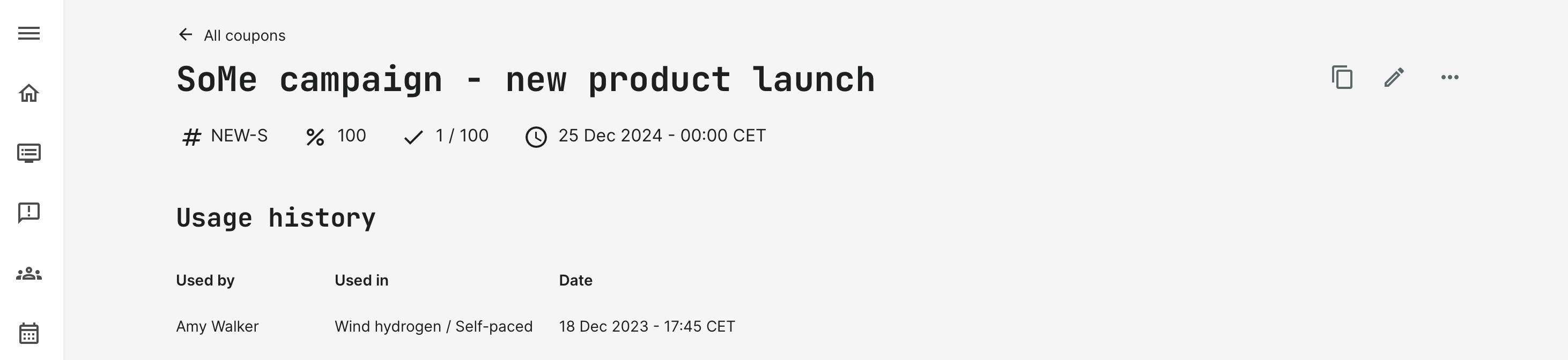
Use the overview to monitor the status of the flurry of coupons you have distributed for each business case.
- Check and copy the unique ID you have provided. This ID cannot be changed, once the coupon has been created.
- Check who has used the discount, expiry dates and make changes as necessary, if you want to extend the date.
- Download the usage history into an excel fil.

Transactions
Used coupons and the discount percentage are seen in the Transaction details and on the confirmation of enrollment and invoice if this has been applied.