Course Downloads Report - Article
Summary
The Course Downloads Report tracks which courses and pages learners download for offline use in the Eurekos mobile app. It helps organizations analyze mobile learning demand and prioritize content for optimized offline consumption.
In this article you will learn:
- How the Course Downloads Report tracks offline course downloads
- How administrators identify which pages are accessed offline most often
- How download patterns reveal mobile learning demand
- How download analytics informs mobile-first content strategy
What Course Downloads Analytics Shows
Course Downloads focuses specifically on offline usage through the Eurekos mobile app. It answers questions such as:
- Which courses are most frequently downloaded for offline access?
- Which pages within courses are downloaded the most?
- Are certain topics, regions, or audiences more inclined to consume learning offline?
- Which content types should be prioritized for mobile-first design?
The report is only available on platforms that are connected to the Eurekos mobile app, as downloads are generated through mobile usage.
Course-Level vs. Page-Level Downloads
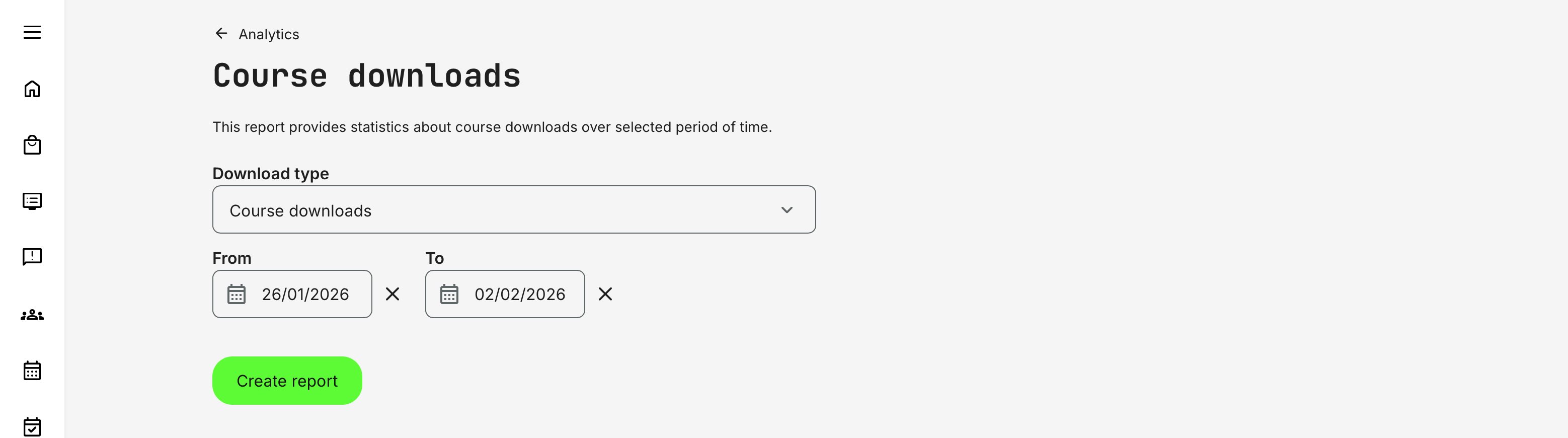
The report can be generated in two modes, depending on what level of insight is needed.
| Course downloads | Page Downloads |
|---|---|
This reports lists all courses that have been downloaded within the selected time period, sorted by the number of downloads. A course is counted as downloaded once per user per device, but repeated downloads (for example after deletion or on another device) are counted again. This report is useful for:
| This lists individual pages that have been downloaded, including an additional column showing which course each page belongs to. Page downloads increase independently of course downloads, reflecting more granular learner behavior. This report is useful for:
If a learner downloads a full course, each page in that course is counted as downloaded once in the Page Downloads report, while the course itself is counted once in the Course Downloads report. |
The report includes date pickers that filter downloads based on when they occurred. As with other reports, if no downloads exist within the selected period, the system returns a clear “Nothing found” message. We will not produce an empty report.
This makes it easy to:
- Compare offline usage before and after content updates
- Analyze seasonal or regional patterns
- Support reporting for defined evaluation periods
How Downloads Are Calculated
Key calculation principles include:
- A course download is registered when the entire course is downloaded
- Page downloads are counted individually per page
- Re-downloading the same course or page (for example after deletion or on another device) increases the download count
- Downloading pages first, then the full course, increases page counts accordingly
- Deleted courses or pages are automatically removed from the report to avoid misleading data
These rules ensure the report reflects actual offline behavior, not just enrollment or progress.
Categories and Content Context: If a course is tagged with categories and child tags, the report displays both parent and child tags (for example—“Developer (IT Department)”. This adds valuable context when analyzing which subject areas or domains are most frequently consumed offline.
Permissions, Data Access, and Organization Layer
The Course Downloads Report is governed by role-based permissions and the organization layer. Users can only see data they are authorized to access based on their role, organizational affiliation, and scope of responsibility.
In practice:
- Data visibility is limited to permitted organizations, activities, and entities
- Parent organizations can see aggregated sub-organization data; sub-organizations cannot see upward or sideways
- Blocked users remain visible for historical accuracy; deleted users are excluded for privacy compliance; Cancelled and expired enrollments remain visible for audit and traceability
- The same rules apply consistently to both on-screen analytics and exported reports
This ensures secure, consistent, and audit-ready access to data across the platform.
Practical Use Case
A global field-service organization notices increasing mobile app usage among technicians working in remote locations with limited connectivity. By reviewing the Course Downloads report, administrators identify that a small set of troubleshooting courses are consistently downloaded for offline use—far more frequently than others.
Digging deeper, they see that these courses contain long PDF-based instructions and desktop-optimized videos. Armed with this insight, the learning team prioritizes redesigning these specific courses for mobile-first consumption: breaking content into shorter pages, replacing large videos with segmented clips, and adding quick-reference checklists.
The downloads data didn’t just show what was popular offline; it highlighted where mobile experience mattered most, allowing the organization to focus effort where it had the greatest impact.