Participant Registrations Report - Article
Summary
The Participant Registrations Report provides a complete, exportable overview of who registered for which training activities within a selected period. It supports course administration, operational planning, and audit-ready documentation across the training lifecycle.
In this article you will learn:
- How the Participant Registrations Report tracks participant sign-ups
- How registration data supports logistics planning and training delivery
- How administrators analyze registration status and participation context
- How the report supports operational oversight and audit documentation
Purpose and Scope
The Participant Registrations Report is designed to answer one of the most fundamental operational questions in training administration:
“Who is registered, for what, and under which conditions?”
This report provides detailed, time-bound visibility into participant signups across training activities. It captures not only who is registered, but also the surrounding context: organizational affiliation, registration source, commercial conditions, and operational details that matter at different stages of a program’s lifecycle.
Its value shifts depending on when the report is pulled:
- Before execution, it supports planning and readiness—finalizing participant lists, preparing instructors, allocating rooms, organizing group work, and coordinating logistics such as catering, hotels, accessibility needs, and VIP handling with other parts of the organization
- During delivery, it provides a live reference for instructors and administrators to verify attendance expectations, handle late changes, and resolve edge cases
- After execution, it becomes a record of who was admitted, under which terms, and with what commercial or administrative conditions—supporting follow-ups, invoicing, reporting, and audits
For this reason, the report is primarily relevant for course administrators, training coordinators, instructors, and operational stakeholders who need reliable participant data to plan, execute, and close training programs with confidence.
In real-world delivery, participant data underpins a wide range of operational activities, including:
- Instructor preparation, room setup, and group planning
- Catering, dietary, hotel, and accessibility coordination
- Payment follow-ups and special commercial agreements
- VIP engagement and relationship management
- Audit trails documenting who participated and under what conditions
By consolidating all of this information into a single, structured output, the Participant Registrations Report serves as a central operational reference point—bridging planning, execution, and post-program accountability.
The Participant Registrations Report helps answer questions such as:
- Who registered for a given activity during a specific period?
- What is the current registration status (registered, cancelled, expired, reserved, waiting list)?
- Who registered the participant—system, administrator, partner/distributor, or self-registration?
- Are there outstanding payment considerations or special commercial conditions that require follow-up?
Report Configuration and Filters
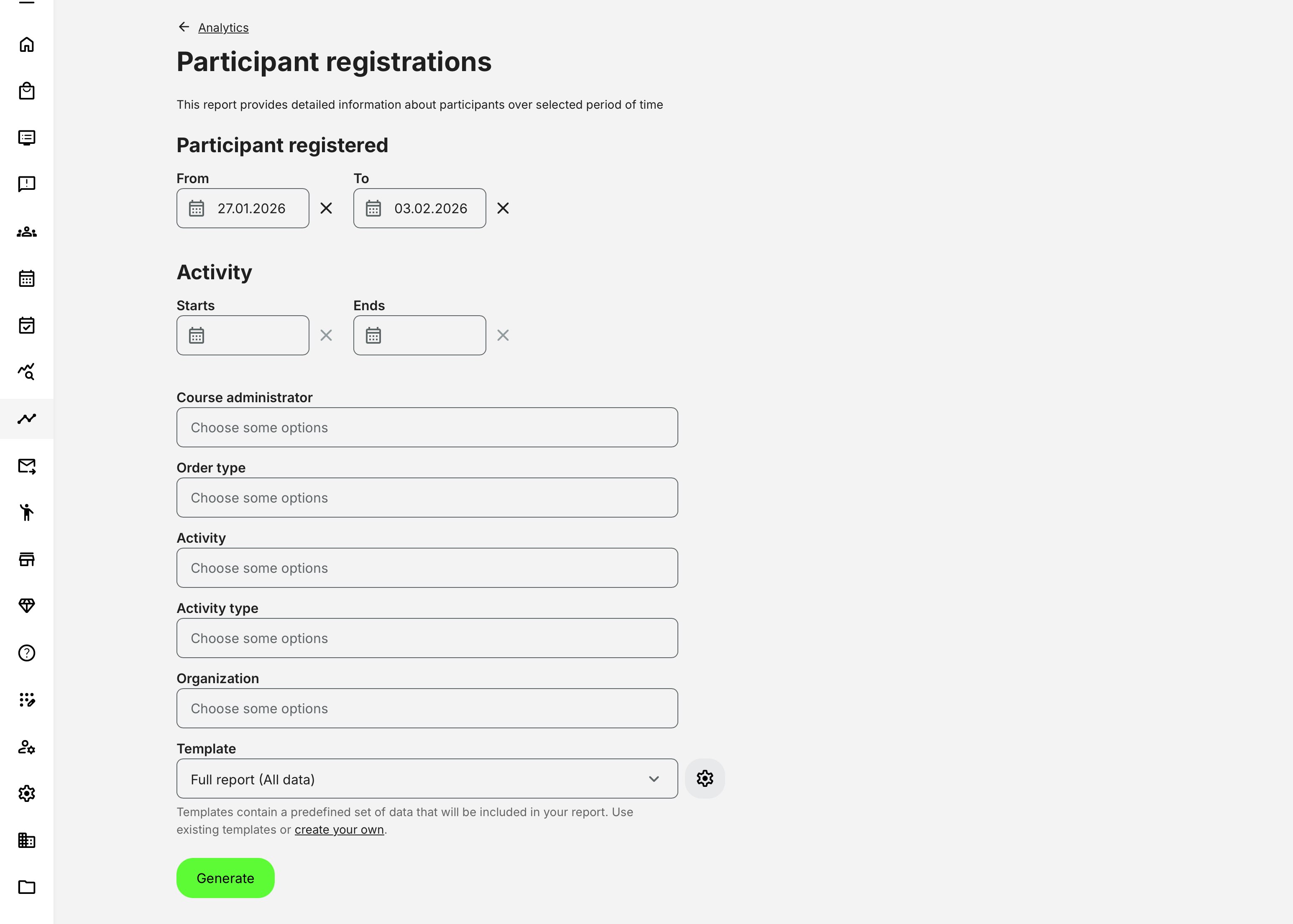
When generating the Participant Registrations Report, administrators can refine the scope using a focused set of filters designed to support planning, delivery, and follow-up workflows. Available filters include:
- Registration date (date range)
- Activity start and end dates (date range)
- Course administrator (single or multiple)
- Order type (single or multiple)
- Activity (single or multiple, including scheduled instances)
- Activity type (e.g. Webinar, Classroom, Learning Path)
- Organization (subject to organization layer and access permissions)
These filters can be combined to produce a report that reflects the exact operational context—before delivery, during execution, or after completion—while respecting organizational scope and governance rules.
Report Data and Structure
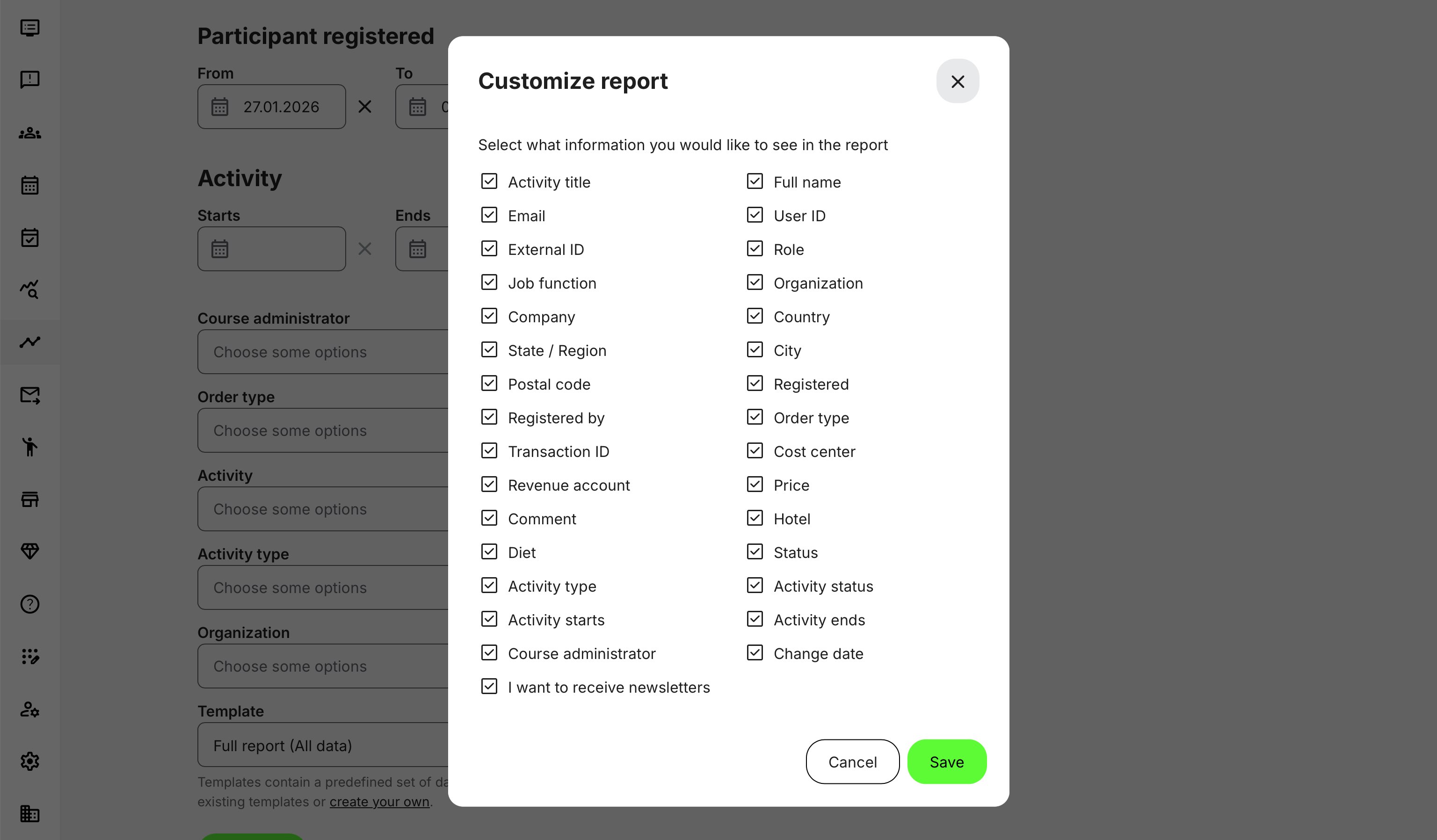
The Participant Registrations Report provides a row-level view of each registration event.
By combining participant identity, activity context, commercial conditions, and operational details into a single report, administrators can reconstruct the full administrative reality of a registration—not just who signed up, but how, why, and under which conditions.
| Category | Field | Description |
|---|---|---|
| Activity & Program Context | Activity title | Name of the training activity |
| Activity type | Course, class, event, or other activity type | |
| Activity status | Current lifecycle state of the activity | |
| Activity starts / ends | Scheduled start and end dates | |
| Course administrator | Administrator responsible for the activity | |
| Participant Identity & Profile | Full name | Participant name |
| Participant email address | ||
| User ID | Internal platform identifier | |
| External ID | External identifier (e.g. HR, CRM, ERP) | |
| Role | Platform role assigned to the participant | |
| Job function / Unit / Department | Tags configured | |
| Organization / Company | Organizational context | |
| Country / State / City / Postal code | Geographic metadata | |
| Registration & Commercial Context | Registered | Date and time of registration |
| Registered by | System, administrator, self registration | |
| Participant status | Registered, Reserved, Cancelled, Expired, Waiting list | |
| Order type | Type of order or enrollment | |
| Transaction ID | Linked transaction reference | |
| Price | Price applied to the registration | |
| Cost center / Revenue account | Financial attribution (where configured) | |
| Operational & Administrative Details | Comment | Registration comments or sign-up notes |
| Hotel | Hotel requirement (if configured) | |
| Diet status | Dietary requirements | |
| Change date | Timestamp of last registration change | |
| Newsletter consent | Marketing consent flag |
Note: The availability of individual fields may vary depending on platform configuration, enabled commerce features, organization layer, and custom attributes.
Permissions, Data Access, and Organization Layer
The Participant Registrations Report is governed by role-based permissions and the organization layer. Users can only see data they are authorized to access based on their role, organizational affiliation, and scope of responsibility.
In practice:
- Data visibility is limited to permitted organizations, activities, and entities
- Parent organizations can see aggregated sub-organization data; sub-organizations cannot see upward or sideways
- Blocked users remain visible for historical accuracy; deleted users are excluded for privacy compliance; Cancelled and expired enrollments remain visible for audit and traceability
- The same rules apply consistently to both on-screen analytics and exported reports
This ensures secure, consistent, and audit-ready access to data across the platform.
Real-World Scenario: Instructor-Led Program Preparation
A regional training team is delivering a three-day instructor-led program across multiple cities. Two weeks before delivery, the course administrator generates the Participant Registrations Report filtered by activity and date.
From the report, the administrator:
- Confirms final participant numbers for room setup and group exercises
- Shares participant lists with instructors for preparation
- Extracts dietary and hotel requirements for logistics coordination
- Identifies VIP customers and informs the contact manager
- Flags registrations with special pricing for finance follow-up
After the program, the same report is used to:
- Validate who was formally registered
- Support payment reconciliation
- Answer stakeholder questions about participation
The report becomes a single source of truth for both planning and accountability.
Extended Real-World Use Cases
The Participant Registrations Report supports different operational needs depending on the phase of a training program. Its value is not static—it evolves as the program moves from planning to delivery to follow-up.
1. Pre-Delivery Planning (Before the Program Starts)
Once registration is closed—but before the activity begins—course administrators use the report as a single source of truth for readiness.
At this stage, the report is commonly used to:
- Finalize participant lists for instructors and facilitators
- Plan room layout, seating, and group exercises based on actual attendance numbers
- Coordinate catering, dietary requirements, accessibility needs, and hotel bookings
- Identify VIP participants or key stakeholders who require special attention
- Verify special pricing, free seats, or manually admitted registrations
Because the report includes both registration status and logistical fields, administrators can confidently prepare without relying on multiple lists, emails, or ad-hoc exports.
2. Operational Oversight (During Delivery)
During execution—especially for multi-day programs, conferences, or blended learning—the report acts as a live operational reference.
Common uses include:
- Confirming who is officially registered versus reserved, cancelled, or expired
- Handling last-minute changes or walk-ins approved by administrators
- Supporting instructors with up-to-date participant information
- Verifying eligibility when attendance, certification, or prerequisites matter
This reduces friction on delivery days and ensures that decisions are based on accurate, current data rather than assumptions or outdated lists.
3. Post-Delivery Follow-Up and Administration (After Completion)
After the program concludes, the report becomes a documentation and follow-up tool.
Administrators use it to:
- Confirm who was admitted and under which conditions
- Support payment reconciliation and retrospective invoicing
- Share final participant lists with stakeholders or partners
- Validate eligibility for certificates, credits, or follow-on activities
- Provide evidence in case of disputes, audits, or internal reviews
Because the report preserves registration context—including who registered the participant and when—it provides accountability long after the activity has ended. Over time, recurring use of the Participant Registrations Report helps identify patterns that inform better program design.